





Ads

HP PageWide Managed P77740 Maintenance Kits

HP PageWide Managed P77740 Printer Accessories

HP PageWide Managed P77740 Warranty and Services

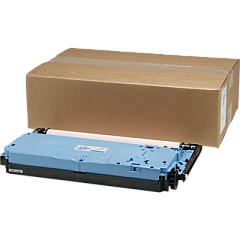
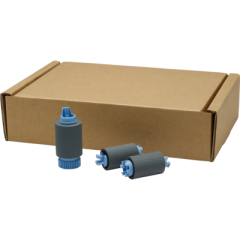
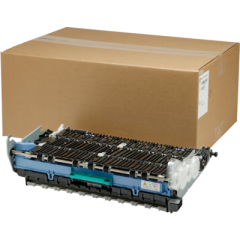
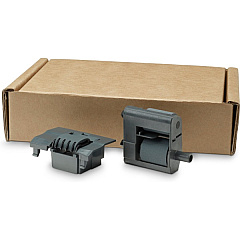
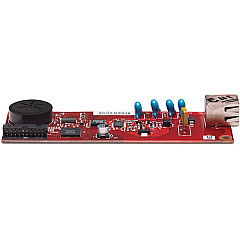
Maximize your printing efficiency with genuine HP PageWide Managed P77740 Ink Cartridges and maintenance supplies. These high-quality components ensure optimal performance for your HP PageWide Managed P77740 printer, delivering exceptional print quality and reliability. The comprehensive range includes the HP CC487A Analog Fax Accessory for seamless fax integration, the HP W1B43A Printhead Wiper Kit for maintaining pristine printheads, and the HP W1B44A Service Fluid Container for proper waste ink management. Additionally, the HP W1B45A Roller Kit and HP W1B47A ADF Roller Replacement Kit guarantee smooth paper handling and consistent feed performance. By choosing genuine HP supplies, you'll extend the life of your printer while maintaining professional-grade output. Trust in HP PageWide Managed P77740 Ink Cartridges and accessories to keep your business, educational institution, government office, healthcare facility, or wholesale operation running smoothly with uninterrupted, high-quality printing.

HP PageWide Managed P77740 Printers Supplies FAQs

  • What is the page yield for HP PageWide Managed P77740 Ink Cartridges?

    Page yield varies depending on the specific cartridge model and printing habits. Please refer to the product specifications for detailed information on each cartridge's yield.

  • Are these ink cartridges compatible with other HP printers?

    HP PageWide Managed P77740 Ink Cartridges are designed specifically for the P77740 model. They may not be compatible with other HP printer models.

  • How often should I replace the HP W1B43A Printhead Wiper Kit?

    The replacement frequency depends on usage. Generally, it's recommended to replace the Printhead Wiper Kit when prompted by the printer or as specified in the printer's maintenance schedule.

  • What is the purpose of the HP W1B44A Service Fluid Container?

    The Service Fluid Container collects waste ink during the printing process. It should be replaced when full to prevent potential damage to the printer.

  • Can I use third-party ink cartridges with the HP PageWide Managed P77740?

    While third-party cartridges may work, using genuine HP cartridges ensures optimal print quality, reliability, and printer longevity. Third-party cartridges may void the printer warranty.

  • How do I install the HP CC487A Analog Fax Accessory?

    Installation instructions are provided with the accessory. Generally, it involves powering off the printer, inserting the accessory into the designated slot, and following the setup prompts after powering on.

  • What signs indicate that I need to replace the HP W1B45A Roller Kit?

    Signs include frequent paper jams, multiple pages feeding at once, or visible wear on the rollers. Replace the kit when prompted by the printer or if you notice these issues.

  • Is the HP W1B47A ADF Roller Replacement Kit easy to install?

    Yes, the ADF Roller Replacement Kit is designed for easy user installation. Detailed instructions are provided, and the process typically takes only a few minutes.

  • How can I maximize the lifespan of my HP PageWide Managed P77740 Ink Cartridges?

    To maximize cartridge life, print regularly to prevent ink from drying, use the printer's economy mode for drafts, and store unused cartridges in a cool, dry place.

  • Are these supplies environmentally friendly?

    HP is committed to environmental sustainability. Many of their supplies, including these cartridges and kits, are part of HP's recycling program and are designed with eco-friendly materials and processes.

Warehouse Locations

Policy & Agreement | Copyright © 1995-2026 BlueDogInk.com
