






Ads

HP PageWide Managed P77440 Maintenance Kits

HP PageWide Managed P77440 Printer Accessories

HP PageWide Managed P77440 Warranty and Services

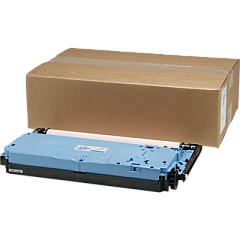
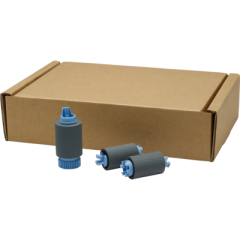
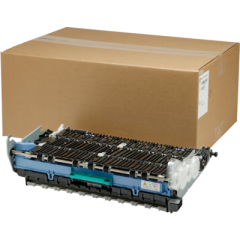
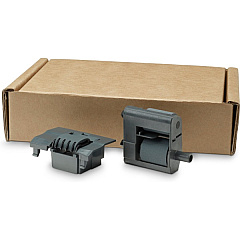
Enhance your printing efficiency with genuine HP PageWide Managed P77440 Ink Cartridges and accessories. These high-quality supplies are designed to deliver exceptional performance and reliability for your business needs. The P77440 series utilizes a range of components, including memory modules, fax accessories, and USB port kits, to optimize functionality. Maintain peak performance with the printhead wiper kit, service fluid container, and roller replacement kits. The wireless accessory enables seamless connectivity, while the foreign interface harness expands compatibility options. Whether you're printing high-volume documents or producing professional-quality materials, HP PageWide Managed P77440 Ink Cartridges and accessories ensure consistent, superior results. Invest in genuine HP supplies to maximize your printer's potential and minimize downtime.

HP PageWide Managed P77440 Printers Supplies FAQs

  • What is the page yield of HP PageWide Managed P77440 Ink Cartridges?

    Page yield varies depending on the specific cartridge model and printing habits. Please refer to the product specifications for detailed information.

  • Are these ink cartridges compatible with other HP printers?

    HP PageWide Managed P77440 Ink Cartridges are designed specifically for the P77440 series and may not be compatible with other printer models.

  • How often should I replace the ADF Roller Replacement Kit?

    The replacement frequency depends on usage. Typically, it's recommended to replace the ADF roller kit after processing 150,000 pages or when you notice degradation in paper feeding performance.

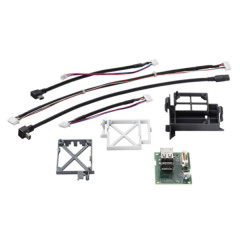
  • What is the purpose of the HP B5L31A Foreign Interface Harness?

    The Foreign Interface Harness allows for the connection of third-party devices to the printer, expanding its functionality and compatibility with external systems.

  • Can I use third-party ink cartridges with the HP PageWide Managed P77440?

    While third-party cartridges may work, using genuine HP ink cartridges is recommended to ensure optimal print quality and to maintain your printer's warranty.

  • What is the function of the HP W1B44A Service Fluid Container?

    The Service Fluid Container collects waste ink during the printing process, helping to maintain the printer's cleanliness and optimal performance.

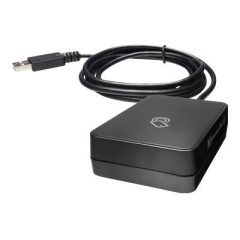
  • How do I install the HP J8030A Wireless Accessory?

    The wireless accessory can be easily installed by following the instructions provided in the printer's user manual or the accessory's installation guide.

  • What is the benefit of using the HP 1GB x32 144-pin DDR3 SODIMM Memory Module?

    This memory module enhances the printer's processing capabilities, allowing for faster handling of complex print jobs and improved overall performance.

  • How often should I replace the HP W1B43A Printhead Wiper Kit?

    The replacement frequency varies based on usage. It's recommended to replace the printhead wiper kit when prompted by the printer or if you notice a decline in print quality.

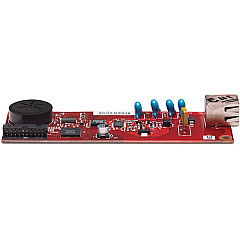
  • Is the HP CC487A Analog Fax Accessory necessary for all P77440 printers?

    The analog fax accessory is optional and only necessary if you require fax functionality for your printer. It's not essential for basic printing operations.

Warehouse Locations

Policy & Agreement | Copyright © 1995-2026 BlueDogInk.com
