




Ads

HP PageWide Managed P75250 Maintenance Kits

HP PageWide Managed P75250 Printer Accessories

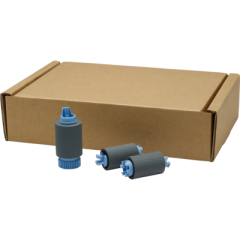
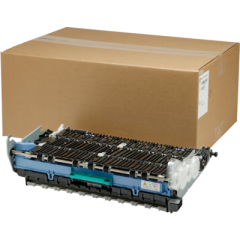
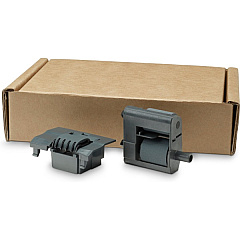
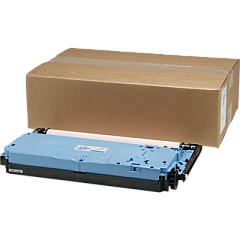
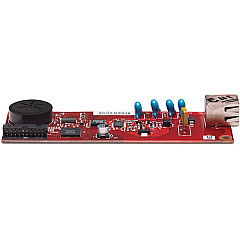
Maximize your printing efficiency with genuine HP PageWide Managed P75250 Ink Cartridges and accessories. These high-quality supplies are designed to deliver exceptional performance and reliability for your business, educational institution, government office, healthcare facility, or wholesale operation. The HP CC487A Analog Fax Accessory enhances communication capabilities, while the HP W1B43A Printhead Wiper Kit ensures pristine print quality. Maintain your printer's optimal performance with the HP W1B44A Service Fluid Container and HP W1B45A Roller Kit. For seamless document handling, the HP W1B47A ADF Roller Replacement Kit is essential. By choosing genuine HP supplies, you'll experience consistent, professional-grade results and extend the life of your PageWide Managed P75250 printer. Trust in HP's innovative technology to meet your diverse printing needs and keep your operations running smoothly.

HP PageWide Managed P75250 Printers Supplies FAQs

  • What is the page yield for HP PageWide Managed P75250 Ink Cartridges?

    Page yield varies depending on the specific cartridge model and printing habits. Please refer to the product specifications for detailed information on each cartridge's yield.

  • Are these ink cartridges compatible with other HP printers?

    HP PageWide Managed P75250 Ink Cartridges are specifically designed for use with the P75250 printer model. They may not be compatible with other HP printers.

  • How often should I replace the HP W1B43A Printhead Wiper Kit?

    The replacement frequency depends on usage. Generally, it's recommended to replace the Printhead Wiper Kit when prompted by the printer or as specified in the printer's maintenance schedule.

  • What is the purpose of the HP W1B44A Service Fluid Container?

    The Service Fluid Container collects waste ink and helps maintain the printer's internal cleanliness, ensuring optimal performance and print quality.

  • Can I use third-party ink cartridges with the HP PageWide Managed P75250?

    While third-party cartridges may work, using genuine HP ink cartridges is recommended to ensure optimal performance, print quality, and to maintain your printer's warranty.

  • How do I install the HP CC487A Analog Fax Accessory?

    Installation instructions are provided with the accessory. Generally, it involves connecting the fax accessory to the printer's designated port and following the on-screen setup instructions.

  • What is the lifespan of the HP W1B45A Roller Kit?

    The lifespan of the Roller Kit varies based on usage. It's typically designed to last for several thousand pages. Replace when print quality deteriorates or as recommended by the printer's maintenance alerts.

  • Are these supplies covered under HP's warranty?

    Yes, genuine HP supplies are covered under HP's warranty. Using non-HP supplies may void your printer's warranty.

  • How can I recycle used HP ink cartridges?

    HP offers a free recycling program for genuine HP ink cartridges. Visit HP's website or check the packaging for details on how to participate in the recycling program.

  • What should I do if I experience print quality issues after installing new cartridges?

    First, ensure the cartridges are properly installed. Run the printer's cleaning and alignment processes. If issues persist, contact HP support for further assistance.

Warehouse Locations

Policy & Agreement | Copyright © 1995-2026 BlueDogInk.com
