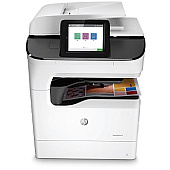
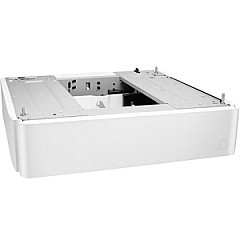
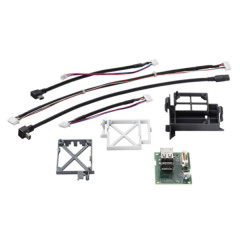
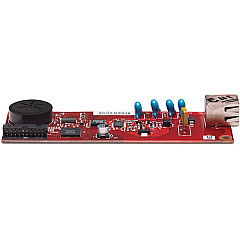





HP PageWide Color MFP 779dns Paper Trays

HP PageWide Color MFP 779dns Printer Accessories

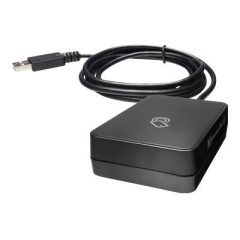
Enhance your printing experience with genuine HP PageWide Color MFP 779dns Ink Cartridges. These high-quality cartridges are designed to deliver exceptional color accuracy and sharp text for all your business needs. Compatible with the HP PageWide Color MFP 779dns printer, these cartridges work seamlessly with accessories like the HP A7W99A Paper Tray for increased paper capacity, the HP B5L28A Internal USB Port Kit for added connectivity, the HP CC487A Analog Fax Accessory for efficient faxing, and the HP J8030A Wireless Accessory for convenient wireless printing. Whether you're printing important documents, vibrant marketing materials, or detailed reports, these ink cartridges ensure consistent, professional results. Maximize your printer's performance and minimize downtime with these reliable, long-lasting HP PageWide Color MFP 779dns Ink Cartridges.

HP PageWide Color MFP 779dns Ink Cartridges FAQs

  • What is the page yield of HP PageWide Color MFP 779dns Ink Cartridges?

    Page yield varies depending on the specific cartridge model and printing habits. Please refer to the product specifications for detailed information.

  • Are these ink cartridges compatible with other HP printers?

    These cartridges are specifically designed for the HP PageWide Color MFP 779dns printer. They may not be compatible with other models.

  • How do I install the HP A7W99A Paper Tray?

    Refer to the user manual for step-by-step instructions on installing the paper tray. Generally, it involves aligning the tray with the printer and sliding it into place.

  • What is the purpose of the HP B5L28A Internal USB Port Kit?

    The Internal USB Port Kit allows you to connect additional devices or accessories directly to your printer, enhancing its functionality.

  • Can I use third-party ink cartridges with this printer?

    While third-party cartridges may work, using genuine HP cartridges ensures optimal print quality and printer performance.

  • How do I set up the HP CC487A Analog Fax Accessory?

    Follow the instructions provided with the accessory. Typically, you'll need to connect it to your printer and configure the fax settings through the printer's control panel.

  • Is the HP J8030A Wireless Accessory difficult to install?

    No, it's designed for easy installation. Simply follow the provided instructions to connect it to your printer and configure your wireless network settings.

  • How often should I replace the ink cartridges?

    Replace cartridges when the printer indicates low ink levels or when print quality noticeably decreases.

  • Are these ink cartridges environmentally friendly?

    HP offers a recycling program for used cartridges, contributing to environmental sustainability.

  • Can I use these cartridges for photo printing?

    Yes, these cartridges are suitable for both document and photo printing, delivering high-quality results for various print jobs.

Warehouse Locations

Policy & Agreement | Copyright © 1995-2026 BlueDogInk.com
