




Ads

HP OfficeJet X555 xh Black Ink Cartridges

HP OfficeJet X555 xh Color Ink Cartridges

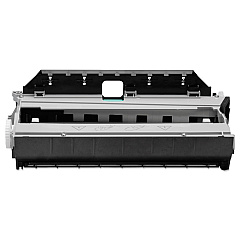
HP OfficeJet X555 xh Maintenance Kits

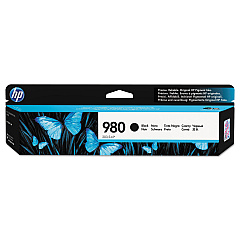
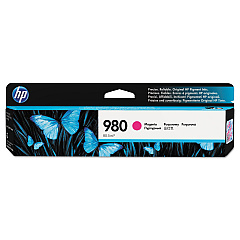
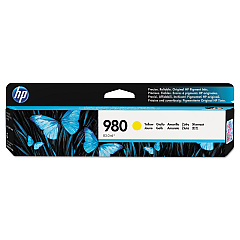
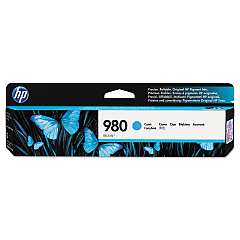
Ensure your HP OfficeJet X555 xh printer maintains its exceptional performance with our premium HP OfficeJet X555 xh Ink Cartridges. Our comprehensive range includes the HP B5L09A Ink Collection Unit, HP D8J07A Cyan Ink Cartridge, HP D8J08A Magenta Ink Cartridge, HP D8J09A Yellow Ink Cartridge, and HP D8J10A Black Ink Cartridge. These genuine HP supplies are designed to deliver crisp, vibrant prints with professional-quality results every time. Whether you're printing important business documents, colorful presentations, or high-resolution images, these cartridges ensure optimal output and longevity. Compatible with your HP OfficeJet X555 xh printer, these cartridges are easy to install and provide reliable, consistent performance. Don't compromise on quality – choose our authentic HP ink cartridges to keep your printer running smoothly and efficiently, maximizing your productivity and minimizing downtime.

HP OfficeJet X555 xh Ink Cartridges FAQs

  • How long do HP OfficeJet X555 xh ink cartridges typically last?

    The lifespan of ink cartridges varies depending on usage, but on average, they can last for 1,500 to 2,500 pages for color cartridges and up to 9,200 pages for black cartridges.

  • Are these ink cartridges compatible with other HP printer models?

    These specific ink cartridges are designed for the HP OfficeJet X555 xh printer. They may not be compatible with other HP printer models.

  • How often should I replace the HP B5L09A Ink Collection Unit?

    The ink collection unit should be replaced when prompted by your printer, typically after processing about 150,000 pages.

  • Can I use third-party ink cartridges instead of genuine HP cartridges?

    While third-party cartridges may work, using genuine HP cartridges ensures optimal print quality and prevents potential damage to your printer.

  • How do I properly store unused ink cartridges?

    Store unused cartridges in their original packaging, at room temperature, and away from direct sunlight to maintain their quality and prevent drying out.

  • What should I do if my printer doesn't recognize a new ink cartridge?

    Try removing and reinserting the cartridge, cleaning the cartridge contacts, or updating your printer's firmware. If issues persist, contact HP support.

  • Are these ink cartridges recyclable?

    Yes, HP offers a free recycling program for used ink cartridges. Visit HP's website for details on how to participate in their recycling initiative.

  • How can I check the ink levels in my HP OfficeJet X555 xh printer?

    You can check ink levels through your printer's control panel or by using the HP Smart app on your computer or mobile device.

  • What's the difference between standard and high-yield ink cartridges?

    High-yield cartridges contain more ink and can print more pages than standard cartridges, making them more cost-effective for high-volume printing.

  • Can I use expired ink cartridges in my HP OfficeJet X555 xh printer?

    While it's possible to use expired cartridges, print quality may be compromised. It's best to use cartridges before their expiration date for optimal results.

Warehouse Locations

Policy & Agreement | Copyright © 1995-2026 BlueDogInk.com
