





Ads

HP Officejet Pro X476dw MFP Black Ink Cartridges

HP Officejet Pro X476dw MFP Color Ink Cartridges

HP Officejet Pro X476dw MFP Printer Parts

HP Officejet Pro X476dw MFP Warranty and Services

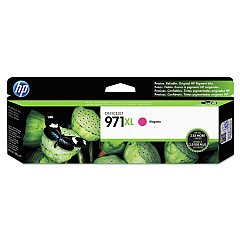
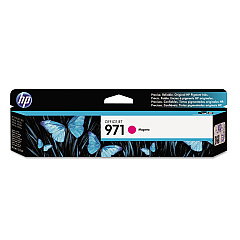
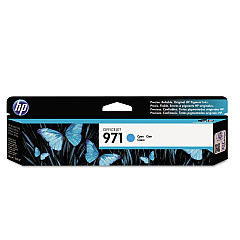
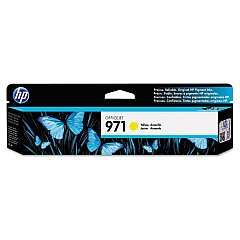
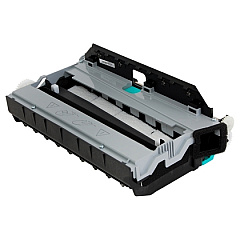
Maximize your printing efficiency with genuine HP Officejet Pro X476dw MFP Ink Cartridges. This versatile multifunction printer demands high-quality supplies to deliver exceptional results. Our comprehensive range includes the CN598-67004 Duplex Module Assembly for seamless two-sided printing, as well as a full spectrum of ink cartridges. Choose from standard-yield options like CN621AM (Black), CN622AM (Cyan), CN623AM (Magenta), and CN624AM (Yellow), or opt for high-capacity alternatives such as CN625AM (Black), CN626AM (Cyan), CN627AM (Magenta), and CN628AM (Yellow) for extended printing capabilities. These authentic HP cartridges ensure crisp text, vibrant colors, and professional-quality documents every time. Whether you're a small business, educational institution, or government office, trust BlueDogInk.com to provide the reliable HP Officejet Pro X476dw MFP Ink Cartridges you need for uninterrupted, high-performance printing.

HP Officejet Pro X476dw MFP Printers Supplies FAQs

  • What is the page yield for the standard HP Officejet Pro X476dw MFP ink cartridges?

    The standard cartridges (CN621AM, CN622AM, CN623AM, CN624AM) typically yield around 2,500 pages for color and 3,000 pages for black.

  • How do I know when it's time to replace my ink cartridges?

    The printer's control panel will display a low ink warning when cartridges need replacement. You can also check ink levels through the printer software on your computer.

  • Are these ink cartridges compatible with other HP Officejet Pro models?

    While some cartridges may be compatible with other models, it's best to check your printer's specific requirements to ensure compatibility.

  • What's the difference between the standard and high-capacity ink cartridges?

    High-capacity cartridges (CN625AM, CN626AM, CN627AM, CN628AM) offer a higher page yield, typically around 9,200 pages for color and 10,000 pages for black, making them more economical for high-volume printing.

  • Can I use third-party ink cartridges in my HP Officejet Pro X476dw MFP?

    While third-party cartridges may work, using genuine HP cartridges ensures optimal print quality and helps maintain your printer's warranty.

  • How should I store unused ink cartridges?

    Store cartridges in their original packaging at room temperature, away from direct sunlight and heat sources, to maintain their quality and shelf life.

  • What is the CN598-67004 Duplex Module Assembly used for?

    The CN598-67004 Duplex Module Assembly enables automatic two-sided printing, helping to save paper and improve efficiency.

  • How often should I replace the Duplex Module Assembly?

    The Duplex Module Assembly doesn't require regular replacement like ink cartridges. Only replace it if it malfunctions or becomes damaged.

  • Can I recycle my used HP ink cartridges?

    Yes, HP offers a free recycling program for used ink cartridges. You can return them to participating retailers or request a prepaid shipping label from HP's website.

  • What should I do if my printer doesn't recognize a new ink cartridge?

    Try removing and reinserting the cartridge, ensuring it's properly seated. If the issue persists, clean the cartridge contacts and try again. If problems continue, contact HP support for assistance.

Warehouse Locations

Policy & Agreement | Copyright © 1995-2026 BlueDogInk.com
