




Ads

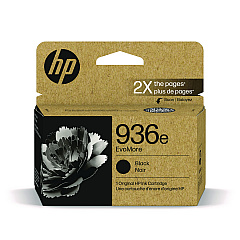
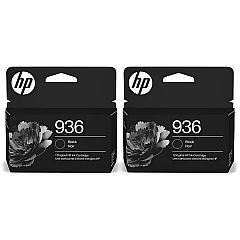
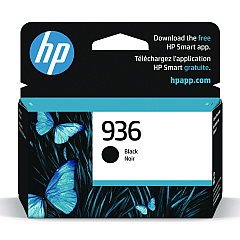
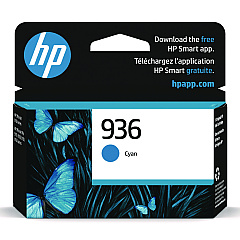
HP OfficeJet Pro 9135e Black Ink Cartridges

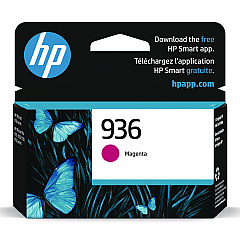
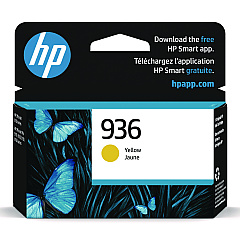
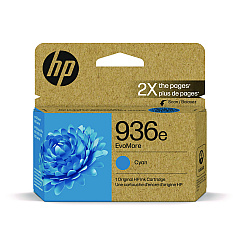
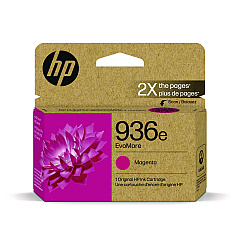
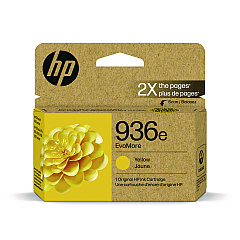
HP OfficeJet Pro 9135e Color Ink Cartridges

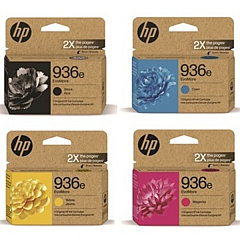
HP OfficeJet Pro 9135e Ink Set

Enhance your printing experience with genuine HP OfficeJet Pro 9135e Ink Cartridges. This versatile lineup includes the HP 936 series in black, cyan, magenta, and yellow, delivering crisp text and vibrant colors for all your business needs. For those seeking extended print runs, the HP 936e EvoMore cartridges offer higher yields in the same four colors. The HP 936e Ink Cartridge Set provides a convenient all-in-one solution for busy offices. These cartridges are specifically designed for optimal performance with your HP OfficeJet Pro 9135e printer, ensuring consistent, high-quality output for documents and presentations. Whether you're printing reports, marketing materials, or everyday correspondence, these reliable ink cartridges will help you maintain professional standards while maximizing efficiency and minimizing waste.

HP OfficeJet Pro 9135e Ink Cartridges FAQs

  • What is the difference between HP 936 and HP 936e EvoMore cartridges?

    HP 936e EvoMore cartridges have a higher page yield compared to standard HP 936 cartridges, allowing you to print more pages before needing a replacement.

  • Are these cartridges compatible with other HP printers?

    These cartridges are specifically designed for the HP OfficeJet Pro 9135e printer. Always check your printer's compatibility before purchasing ink cartridges.

  • How long do these ink cartridges last?

    The lifespan of ink cartridges varies depending on usage and print settings. However, HP 936e EvoMore cartridges generally last longer than standard HP 936 cartridges.

  • Can I use third-party ink cartridges in my HP OfficeJet Pro 9135e?

    While third-party cartridges may work, using genuine HP cartridges ensures optimal print quality and helps maintain your printer's warranty.

  • What's included in the HP 936e Ink Cartridge Set?

    The HP 936e Ink Cartridge Set typically includes one cartridge each of black, cyan, magenta, and yellow ink.

  • How do I install these ink cartridges?

    To install, open your printer's ink cartridge access door, remove the old cartridge, insert the new one until it clicks into place, and close the access door.

  • Are these cartridges recyclable?

    Yes, HP offers a recycling program for used ink cartridges. Visit HP's website for more information on their recycling initiatives.

  • How can I tell when my ink cartridge needs replacing?

    Your printer will typically alert you when ink levels are low. You can also check ink levels through your printer's control panel or HP software on your computer.

  • Do these cartridges come with a warranty?

    Yes, genuine HP ink cartridges come with a warranty against defects in materials and workmanship.

  • Can I use HP Instant Ink with these cartridges?

    Yes, the HP OfficeJet Pro 9135e is eligible for HP Instant Ink, a subscription service that automatically sends you ink when your printer is running low.

Warehouse Locations

Policy & Agreement | Copyright © 1995-2026 BlueDogInk.com
