





Ads

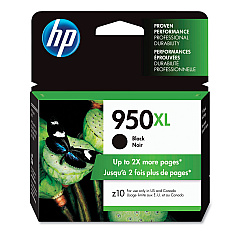
HP Officejet Pro 8100 ePrinter (N811a) Black Ink Cartridges

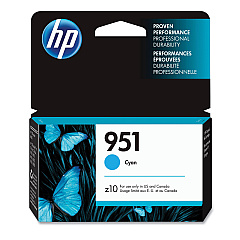
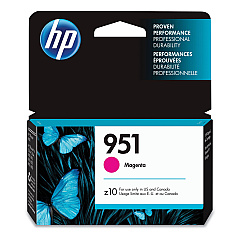
HP Officejet Pro 8100 ePrinter (N811a) Color Ink Cartridges

HP Officejet Pro 8100 ePrinter (N811a) Warranty and Services

  • HP UQ207E Exchange Warranty

    Item UQ207E

    HP UQ207E Exchange Warranty

    HP Electronic Care Pack (Business Priority Support) (Next Business Day Exchange)..

    Status

    In Stock

    $39.99

Enhance your printing experience with genuine HP Officejet Pro 8100 ePrinter (N811a) Ink Cartridges. These high-quality cartridges ensure crisp text and vibrant colors for all your professional documents. Choose from a range of options including HP CN045AN Black, CN046AN Cyan, CN047AN Magenta, and CN048AN Yellow for standard yield, or opt for the high-capacity CN049AN Black, CN050AN Cyan, CN051AN Magenta, and CN052AN Yellow cartridges for more extensive printing needs. These reliable inks are designed specifically for the HP Officejet Pro 8100 ePrinter (N811a), guaranteeing optimal performance and longevity. Whether you're printing business reports, marketing materials, or everyday documents, these cartridges deliver exceptional results page after page. Invest in authentic HP ink cartridges to maintain your printer's efficiency and produce professional-quality prints that make a lasting impression.

HP Officejet Pro 8100 ePrinter (N811a) Printers Supplies FAQs

  • What ink cartridges are compatible with the HP Officejet Pro 8100 ePrinter (N811a)?

    The compatible ink cartridges are HP CN045AN, CN046AN, CN047AN, CN048AN, CN049AN, CN050AN, CN051AN, and CN052AN in various colors.

  • How long do these ink cartridges typically last?

    The lifespan of the cartridges depends on usage, but standard yield cartridges typically last for about 1,000 pages, while high-capacity cartridges can print up to 2,300 pages.

  • Can I use non-HP ink cartridges in my HP Officejet Pro 8100 ePrinter?

    While third-party cartridges may work, HP recommends using genuine HP ink cartridges for optimal print quality and printer performance.

  • How do I install new ink cartridges in the HP Officejet Pro 8100 ePrinter?

    Open the ink cartridge access door, remove the old cartridge, insert the new one until it clicks into place, and close the door. The printer will automatically align the new cartridges.

  • Are these ink cartridges recyclable?

    Yes, HP offers a free recycling program for used ink cartridges through their HP Planet Partners initiative.

  • What's the difference between standard and high-capacity ink cartridges?

    High-capacity cartridges contain more ink and can print more pages before needing replacement, making them more cost-effective for high-volume printing.

  • How can I check the ink levels in my HP Officejet Pro 8100 ePrinter?

    You can check ink levels through the printer's control panel or by using the HP software installed on your computer.

  • Do these ink cartridges come with a warranty?

    Yes, genuine HP ink cartridges come with a warranty against defects in materials and workmanship.

  • Can I use these cartridges in other HP printer models?

    These cartridges are specifically designed for the HP Officejet Pro 8100 ePrinter (N811a) and may not be compatible with other models.

  • How should I store unused ink cartridges?

    Store unused cartridges in their original sealed packaging at room temperature, away from direct sunlight and heat sources, to maintain their quality and shelf life.

Warehouse Locations

Policy & Agreement | Copyright © 1995-2026 BlueDogInk.com
