





Ads

HP OfficeJet K80 Black Ink Cartridges

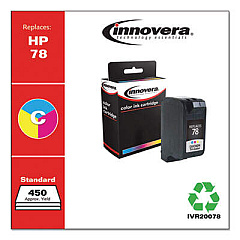
HP OfficeJet K80 Color Ink Cartridges

Ensure your HP OfficeJet K80 printer continues to deliver exceptional print quality with genuine HP OfficeJet K80 Ink Cartridges. These high-performance cartridges are specifically designed for optimal compatibility and reliability with your K80 printer. The HP 45 Black Ink Cartridge (51645A) is the key component for producing crisp, professional-looking text and sharp black graphics. With its advanced ink formulation, this cartridge offers fade-resistant prints that maintain their quality over time. Whether you're printing important business documents, school assignments, or personal projects, these ink cartridges provide consistent, high-quality results page after page. Don't compromise on quality – choose authentic HP OfficeJet K80 Ink Cartridges to maximize your printer's performance and extend its lifespan. Stock up on these essential supplies to ensure uninterrupted printing for all your important tasks.

HP OfficeJet K80 Ink Cartridges FAQs

  • How long does an HP 45 Black Ink Cartridge typically last?

    The lifespan of an HP 45 Black Ink Cartridge varies depending on usage, but it typically yields around 930 pages.

  • Are remanufactured ink cartridges compatible with the HP OfficeJet K80?

    While remanufactured cartridges may work, HP recommends using genuine HP ink cartridges for optimal performance and print quality.

  • How can I check the ink levels in my HP OfficeJet K80?

    You can check ink levels through the printer's control panel or by using the HP software installed on your computer.

  • What should I do if my HP OfficeJet K80 isn't recognizing the ink cartridge?

    Try removing and reinserting the cartridge, cleaning the contacts, or running the printer's alignment process. If issues persist, the cartridge may be defective.

  • Can I use HP 45 Black Ink Cartridges in other HP printer models?

    The HP 45 cartridge is compatible with several HP printer models, but always check your printer's specifications to ensure compatibility.

  • How should I store unused ink cartridges?

    Store cartridges in their original sealed packaging at room temperature, away from direct sunlight and heat sources.

  • Is it necessary to replace all ink cartridges at the same time?

    No, you only need to replace the cartridge that has run out of ink. The HP OfficeJet K80 uses individual ink cartridges.

  • What's the shelf life of an unopened HP 45 Black Ink Cartridge?

    Unopened cartridges typically have a shelf life of 24 months from the date of manufacture when stored properly.

  • How can I dispose of empty ink cartridges responsibly?

    HP offers a free recycling program for empty cartridges. You can also check with local office supply stores for recycling options.

  • Does using non-HP ink cartridges void my printer's warranty?

    Using non-HP cartridges doesn't void the warranty, but any damage caused by their use may not be covered under the warranty.

Warehouse Locations

Policy & Agreement | Copyright © 1995-2026 BlueDogInk.com
