




Ads

HP Officejet J7000 Black Ink Cartridges

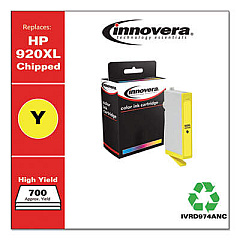
HP Officejet J7000 Color Ink Cartridges

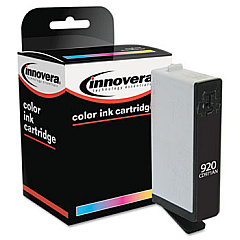
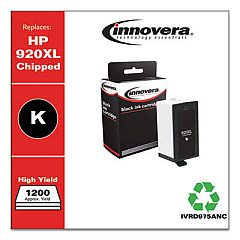
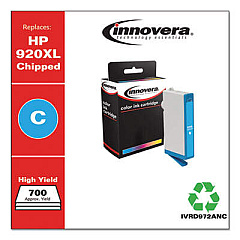
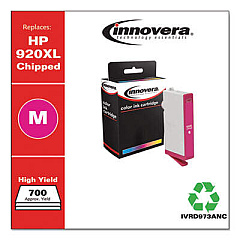
Keep your HP Officejet J7000 printer running smoothly with genuine HP Officejet J7000 Ink Cartridges. These high-quality cartridges are designed specifically for your printer, ensuring optimal performance and professional-quality prints every time. The set includes HP CD972AN Cyan, HP CD973AN Magenta, HP CD974AN Yellow, and HP CD975AN Black ink cartridges, providing a complete color spectrum for all your printing needs. Whether you're printing important business documents or vibrant marketing materials, these cartridges deliver crisp text and vivid colors that make your work stand out. With long-lasting ink formulas, you'll enjoy consistent results and fewer cartridge replacements, saving you time and money. Trust in the reliability and excellence of genuine HP ink cartridges to keep your Officejet J7000 printer producing top-notch prints for all your professional and personal projects.

HP Officejet J7000 Printers Supplies FAQs

  • How long do HP Officejet J7000 Ink Cartridges typically last?

    The lifespan of ink cartridges varies depending on usage, but on average, they can last for 200-300 pages for color cartridges and 400-500 pages for black cartridges.

  • Are these ink cartridges compatible with other HP printers?

    These cartridges are specifically designed for the HP Officejet J7000 printer. They may not be compatible with other HP printer models.

  • Can I use third-party ink cartridges in my HP Officejet J7000?

    While third-party cartridges may work, using genuine HP cartridges ensures the best print quality and helps maintain your printer's warranty.

  • How do I install new ink cartridges in my HP Officejet J7000?

    Open the printer's front cover, wait for the carriage to move to the center, remove the old cartridge, and insert the new one until it clicks into place.

  • What should I do if my printer doesn't recognize the new cartridge?

    Try removing and reinserting the cartridge, cleaning the cartridge contacts, or running the printer's alignment process. If issues persist, contact HP support.

  • Can I recycle used HP Officejet J7000 Ink Cartridges?

    Yes, HP offers a free recycling program for used ink cartridges. You can return them to participating retailers or request a free shipping label from HP's website.

  • How can I extend the life of my ink cartridges?

    Print in draft mode for non-critical documents, avoid leaving the printer idle for long periods, and keep the printhead clean to maximize cartridge life.

  • What's the difference between standard and high-yield cartridges?

    High-yield cartridges contain more ink and can print more pages than standard cartridges, making them more cost-effective for high-volume printing.

  • How should I store unused ink cartridges?

    Store cartridges in their original sealed packaging at room temperature, away from direct sunlight and heat sources, to maintain their quality and prevent drying.

  • What should I do if my prints are streaky or faded?

    First, check ink levels and replace low cartridges. If the issue persists, run the printer's cleaning and alignment processes. If problems continue, the printhead may need cleaning or replacement.

Warehouse Locations

Policy & Agreement | Copyright © 1995-2026 BlueDogInk.com
