




Ads

HP Officejet J6500 Black Ink Cartridges

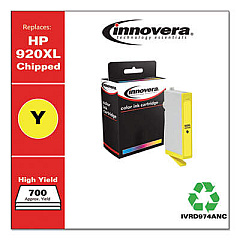
HP Officejet J6500 Color Ink Cartridges

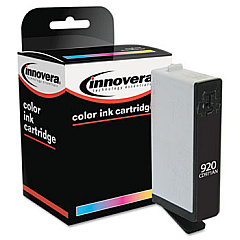
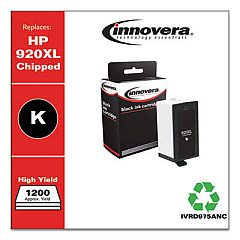
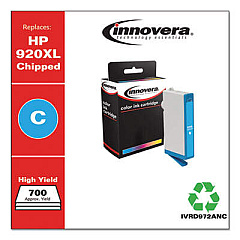
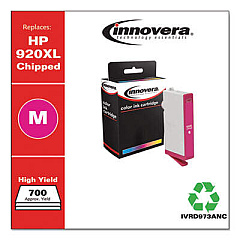
Ensure your HP Officejet J6500 printer consistently delivers high-quality prints with our genuine HP Officejet J6500 Ink Cartridges. These cartridges are specifically designed for optimal performance in your all-in-one printer, providing crisp text and vibrant colors for both professional documents and eye-catching graphics. The set includes HP CD972AN Cyan, HP CD973AN Magenta, HP CD974AN Yellow, and HP CD975AN Black ink cartridges, offering a complete solution for all your printing needs. With these reliable ink cartridges, you'll experience fewer interruptions and longer-lasting prints. Whether you're printing reports, presentations, or marketing materials, these cartridges ensure your work looks its best. Trust in the quality and consistency of genuine HP ink cartridges to keep your Officejet J6500 running smoothly and efficiently, maximizing your productivity and minimizing waste.

HP Officejet J6500 Printers Supplies FAQs

  • How long do HP Officejet J6500 Ink Cartridges typically last?

    The lifespan of ink cartridges varies depending on usage, but on average, they can last for 200-300 pages for color cartridges and 400-500 pages for black cartridges.

  • Are these ink cartridges compatible with other HP printer models?

    These cartridges are specifically designed for the HP Officejet J6500 series. Always check your printer's compatibility before purchasing ink cartridges.

  • Can I use third-party ink cartridges in my HP Officejet J6500?

    While third-party cartridges may work, using genuine HP cartridges ensures optimal print quality and helps maintain your printer's warranty.

  • How can I tell if my ink cartridge is running low?

    Your printer's software will typically alert you when ink levels are low. You can also check ink levels through the printer's control panel.

  • What should I do if my printer doesn't recognize the new ink cartridge?

    Try removing and reinserting the cartridge, ensuring it's properly seated. If the issue persists, clean the cartridge contacts and try again.

  • Can I recycle my used HP ink cartridges?

    Yes, HP offers a free recycling program for used ink cartridges. You can return them to participating retailers or request a free shipping label from HP.

  • How should I store unused ink cartridges?

    Store cartridges in their original sealed packaging at room temperature, away from direct sunlight and heat sources, to maintain their quality.

  • What's the difference between standard and high-yield ink cartridges?

    High-yield cartridges contain more ink and can print more pages than standard cartridges, making them more cost-effective for high-volume printing.

  • How often should I replace my ink cartridges?

    Replace cartridges when print quality diminishes or when your printer indicates low ink levels. This varies based on your printing frequency and content.

  • Can I use expired ink cartridges?

    While it's best to use cartridges before their expiration date, they may still work if properly stored. However, print quality may be compromised.

Warehouse Locations

Policy & Agreement | Copyright © 1995-2026 BlueDogInk.com
