




Ads

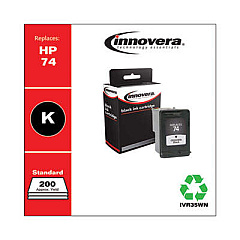
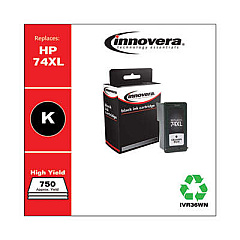
HP OfficeJet J6415 Black Ink Cartridges

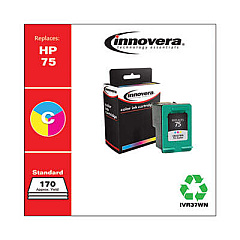
HP OfficeJet J6415 Color Ink Cartridges

Keep your HP OfficeJet J6415 running smoothly with genuine HP OfficeJet J6415 Ink Cartridges. These high-quality cartridges are designed specifically for your all-in-one printer, ensuring optimal performance and crisp, vibrant prints every time. The HP CB335WN Black Ink Cartridge delivers sharp text and clear graphics, while the HP CB337WN Tricolor Ink Cartridge produces stunning color photos and documents. These cartridges are easy to install and offer long-lasting results, making them ideal for both home and office use. With their reliable performance and impressive page yield, you'll spend less time replacing cartridges and more time focusing on your printing tasks. Trust in the quality of genuine HP ink cartridges to maintain your printer's efficiency and produce professional-looking results that make a lasting impression.

HP OfficeJet J6415 Ink Cartridges FAQs

  • How long do HP OfficeJet J6415 Ink Cartridges typically last?

    The lifespan of ink cartridges varies depending on usage, but on average, they can last for 200-300 pages for black ink and 150-200 pages for color ink.

  • Are these ink cartridges compatible with other HP printer models?

    While these cartridges are designed specifically for the HP OfficeJet J6415, they may be compatible with other HP models. Always check your printer's manual or HP's website for compatibility information.

  • Can I use third-party ink cartridges in my HP OfficeJet J6415?

    While third-party cartridges may work, using genuine HP ink cartridges is recommended to ensure optimal print quality and to maintain your printer's warranty.

  • How do I install new ink cartridges in my HP OfficeJet J6415?

    Open the printer's front cover, wait for the cartridge carrier to move to the center, remove the old cartridge, insert the new one, and close the cover. The printer will automatically align the new cartridge.

  • What should I do if my printer doesn't recognize the new ink cartridge?

    Try removing and reinserting the cartridge, cleaning the cartridge contacts, or running the printer's cleaning utility. If issues persist, contact HP support.

  • Can I recycle used HP OfficeJet J6415 Ink Cartridges?

    Yes, HP offers a free recycling program for used ink cartridges. You can return them to participating retailers or request a free shipping label from HP's website.

  • How can I tell when my ink cartridges are running low?

    Your printer's software will typically alert you when ink levels are low. You can also check ink levels through the printer's control panel or HP's printer software on your computer.

  • Is it necessary to replace all color cartridges at once?

    No, you can replace individual color cartridges as needed. The HP OfficeJet J6415 uses separate cartridges for each color.

  • Can I print if one of the ink cartridges is empty?

    It depends on your printer settings. Some HP printers allow black-only printing when color cartridges are empty, but for best results, it's recommended to replace empty cartridges promptly.

  • How should I store unused ink cartridges?

    Store unused cartridges in their original sealed packaging at room temperature. Avoid extreme temperatures and direct sunlight to maintain the ink's quality.

Warehouse Locations

Policy & Agreement | Copyright © 1995-2026 BlueDogInk.com
