






HP Officejet Enterprise Color MFP M585dn Printers Supplies

Ads

HP Officejet Enterprise Color MFP M585dn Black Ink Cartridges

HP Officejet Enterprise Color MFP M585dn Color Ink Cartridges

HP Officejet Enterprise Color MFP M585dn Warranty and Services

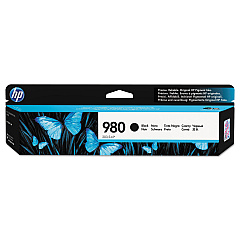
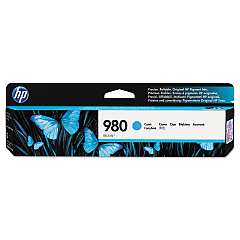
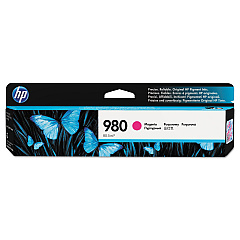
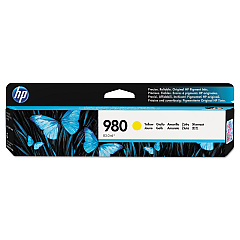
Ensure your HP Officejet Enterprise Color MFP M585dn maintains peak performance with our premium ink cartridges. These HP Officejet Enterprise Color MFP M585dn Ink Cartridges are designed to deliver exceptional print quality and reliability for your business needs. The set includes HP D8J07A Cyan, HP D8J08A Magenta, HP D8J09A Yellow, and HP D8J10A Black ink cartridges, providing vibrant colors and crisp text for all your documents. These high-yield cartridges offer cost-effective printing solutions, reducing the frequency of replacements and minimizing downtime. Compatible with your HP Officejet Enterprise Color MFP M585dn printer, these genuine HP ink cartridges ensure optimal performance and longevity for your printing equipment. Experience professional-quality prints with sharp details and fade-resistant results that make a lasting impression on clients and colleagues alike. Trust in the superior quality of HP ink cartridges for all your printing needs.

HP Officejet Enterprise Color MFP M585dn Printers Supplies FAQs

  • How long do these ink cartridges typically last?

    The lifespan of these cartridges varies depending on usage, but they are high-yield cartridges designed to last longer than standard cartridges.

  • Are these cartridges compatible with other HP printer models?

    These cartridges are specifically designed for the HP Officejet Enterprise Color MFP M585dn. Always check your printer's compatibility before purchasing.

  • Can I use third-party ink cartridges instead of genuine HP cartridges?

    While third-party cartridges may work, using genuine HP cartridges ensures optimal print quality and helps maintain your printer's warranty.

  • How do I install these ink cartridges?

    Installation is simple. Open the printer's front panel, remove the old cartridge, and insert the new one until it clicks into place.

  • What should I do if my printer doesn't recognize the new cartridge?

    Try removing and reinserting the cartridge. If the issue persists, clean the cartridge contacts and try again.

  • Are these cartridges environmentally friendly?

    HP offers a recycling program for used cartridges, helping to reduce environmental impact.

  • How can I tell if my cartridge is running low on ink?

    Your printer's software will typically alert you when ink levels are low. You can also check ink levels through the printer's control panel.

  • Do these cartridges come with a warranty?

    Yes, genuine HP ink cartridges come with a warranty against defects in materials and workmanship.

  • Can I buy these cartridges individually or only as a set?

    You can purchase these cartridges individually or as a set, depending on your needs and which colors require replacement.

  • How should I store unused ink cartridges?

    Store unused cartridges in their original packaging at room temperature, away from direct sunlight and heat sources.

Warehouse Locations

Policy & Agreement | Copyright © 1995-2026 BlueDogInk.com
