





HP Officejet 7612 Wide Format e-All-in-One Printers Supplies

Ads

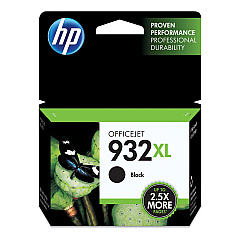
HP Officejet 7612 Wide Format e-All-in-One Black Ink Cartridges

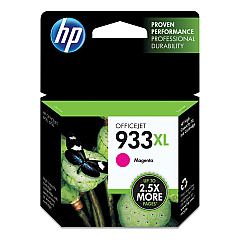
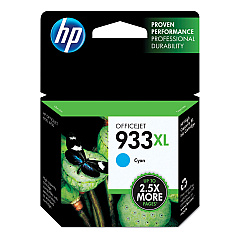
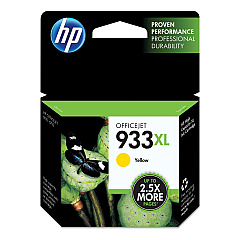
HP Officejet 7612 Wide Format e-All-in-One Color Ink Cartridges

HP Officejet 7612 Wide Format e-All-in-One Warranty and Services

  • HP UQ208E Exchange Warranty

    Item UQ208E

    HP UQ208E Exchange Warranty

    HP Electronic Care Pack (Next Business Day Exchange) (Hardware Support) (2 Year)..

    Status

    In Stock

    $44.99

  • HP UQ209E Exchange Warranty

    Item UQ209E

    HP UQ209E Exchange Warranty

    HP Electronic Care Pack (Next Business Day Exchange) (Enhanced Technical Phone S..

    Status

    In Stock

    $59.99

  • HP U6M53E Onsite Exchange Warranty

    Item U6M53E

    HP U6M53E Onsite Exchange Warranty

    HP Electronic Care Pack (Business Priority Support) (Onsite Exchange) (2 Year)..

    Status

    In Stock

    $64.99

  • HP U6M54E Onsite Exchange Warranty

    Item U6M54E

    HP U6M54E Onsite Exchange Warranty

    HP Electronic Care Pack (Business Priority Support) (Onsite Exchange) (3 Year)..

    Status

    In Stock

    Free Shipping

    $88.99

Enhance your printing experience with genuine HP Officejet 7612 Wide Format e-All-in-One Ink Cartridges. These high-quality cartridges are designed to deliver exceptional results for your wide-format printing needs. The set includes four essential colors: HP CN053AN Black, HP CN054AN Cyan, HP CN055AN Magenta, and HP CN056AN Yellow. These cartridges ensure crisp text, vibrant graphics, and long-lasting prints that resist fading. Perfect for businesses, educational institutions, and healthcare facilities requiring professional-grade wide-format documents. With these cartridges, you'll enjoy consistent performance, reduced waste, and optimal print quality. Trust in HP's reliability to keep your Officejet 7612 running smoothly, whether you're printing marketing materials, architectural plans, or detailed medical images. Invest in genuine HP ink cartridges to maximize your printer's potential and achieve outstanding results every time.

HP Officejet 7612 Wide Format e-All-in-One Printers Supplies FAQs

  • How long do HP Officejet 7612 ink cartridges typically last?

    The lifespan of ink cartridges varies depending on usage, but on average, they can last for 200-300 pages for color cartridges and 400-500 pages for black cartridges.

  • Are these ink cartridges compatible with other HP printers?

    These cartridges are specifically designed for the HP Officejet 7612 Wide Format e-All-in-One printer. They may not be compatible with other HP printer models.

  • Can I use third-party ink cartridges in my HP Officejet 7612?

    While third-party cartridges may work, using genuine HP ink cartridges is recommended for optimal print quality and to maintain your printer's warranty.

  • How do I install new ink cartridges in the HP Officejet 7612?

    Open the front cover, wait for the carriage to move to the center, gently push down on the old cartridge to release it, insert the new cartridge, and close the cover.

  • What should I do if my printer doesn't recognize the new ink cartridge?

    Try removing and reinserting the cartridge, cleaning the contacts, or running the printer's alignment process. If issues persist, contact HP support.

  • Can I buy these ink cartridges in bulk?

    Yes, many retailers offer multi-packs or bulk purchasing options for HP Officejet 7612 ink cartridges, which can be more cost-effective for high-volume users.

  • How should I store unused ink cartridges?

    Store cartridges in their original sealed packaging, at room temperature, and away from direct sunlight to maintain their quality and prevent them from drying out.

  • Are these ink cartridges environmentally friendly?

    HP offers a recycling program for used ink cartridges, helping to reduce environmental impact. Check HP's website for details on their recycling initiatives.

  • What's the difference between standard and high-yield cartridges?

    High-yield cartridges contain more ink and are designed for users who print frequently, offering more prints per cartridge compared to standard cartridges.

  • How can I check the ink levels in my HP Officejet 7612?

    You can check ink levels through the printer's control panel, HP software on your computer, or the HP Smart app on your mobile device.

Warehouse Locations

Policy & Agreement | Copyright © 1995-2026 BlueDogInk.com
