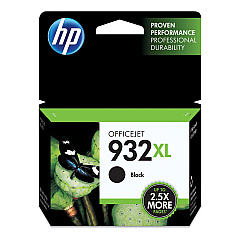
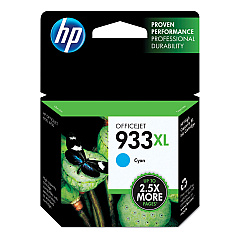
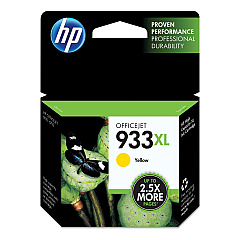
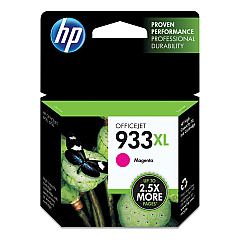






HP OfficeJet 7510 Wide Format All-in-One Printers Supplies

Ads

HP OfficeJet 7510 Wide Format All-in-One Black Ink Cartridges

HP OfficeJet 7510 Wide Format All-in-One Color Ink Cartridges

HP OfficeJet 7510 Wide Format All-in-One Warranty and Services

Enhance your printing capabilities with HP OfficeJet 7510 Wide Format All-in-One Ink Cartridges. These high-quality cartridges are designed to deliver exceptional results for businesses, schools, government offices, and healthcare facilities. The set includes four essential colors: HP CN053AN Black, HP CN054AN Cyan, HP CN055AN Magenta, and HP CN056AN Yellow. These cartridges ensure crisp text and vibrant images, perfect for wide-format printing needs. Compatible with the HP OfficeJet 7510 Wide Format All-in-One printer, these cartridges offer reliable performance and long-lasting output. Whether you're printing professional documents, marketing materials, or detailed graphics, these ink cartridges provide the quality and consistency you need. Maximize your printer's potential and achieve stunning results with genuine HP ink cartridges, trusted by organizations across various sectors for their superior print quality and dependable performance.

HP OfficeJet 7510 Wide Format All-in-One Printers Supplies FAQs

  • What printer model are these ink cartridges compatible with?

    These ink cartridges are specifically designed for the HP OfficeJet 7510 Wide Format All-in-One printer.

  • How many cartridges are included in a complete set?

    A complete set includes four cartridges: Black, Cyan, Magenta, and Yellow.

  • What is the page yield for these cartridges?

    Page yield varies depending on the specific cartridge and printing habits. Please refer to the product specifications for detailed information.

  • Are these genuine HP cartridges?

    Yes, these are genuine HP ink cartridges designed for optimal performance with HP printers.

  • Can I use third-party or refilled cartridges instead?

    While third-party cartridges may work, using genuine HP cartridges ensures the best print quality and printer performance.

  • How do I install these ink cartridges?

    Installation is simple. Open the printer's ink cartridge access door, remove the old cartridge, and insert the new one until it clicks into place.

  • What should I do if my printer doesn't recognize the new cartridge?

    Try removing and reinserting the cartridge. If the issue persists, clean the cartridge contacts and try again.

  • How long do these cartridges last?

    Cartridge life depends on usage. Store unopened cartridges in their original packaging until ready for use.

  • Can I buy individual colors, or do I need to purchase the full set?

    You can purchase individual color cartridges as needed, without buying the full set.

  • Are these cartridges environmentally friendly?

    HP offers a recycling program for used cartridges, contributing to environmental sustainability.

Warehouse Locations

Policy & Agreement | Copyright © 1995-2026 BlueDogInk.com
