




Ads

HP OfficeJet 710 Black Ink Cartridges

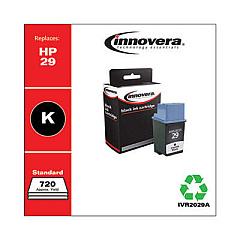
Ensure your HP OfficeJet 710 printer continues to deliver exceptional prints with our high-quality HP OfficeJet 710 Ink Cartridges. Our selection includes the reliable Innovera Remanufactured Black Ink, a cost-effective replacement for the original 29 (51629A) cartridge. These cartridges are designed to meet or exceed OEM standards, providing crisp text and sharp images for all your printing needs. Whether you're printing important business documents, school assignments, or personal projects, our ink cartridges guarantee consistent performance and long-lasting results. By choosing our remanufactured options, you're not only saving money but also contributing to environmental sustainability. Don't let low ink levels slow you down – stock up on HP OfficeJet 710 Ink Cartridges today and keep your printer running smoothly for all your important tasks.

HP OfficeJet 710 Ink Cartridges FAQs

  • Are remanufactured ink cartridges compatible with my HP OfficeJet 710 printer?

    Yes, our Innovera Remanufactured Black Ink cartridges are specifically designed to be compatible with the HP OfficeJet 710 printer.

  • How does the print quality of remanufactured cartridges compare to OEM cartridges?

    Our remanufactured cartridges are designed to meet or exceed OEM standards, providing comparable print quality to original HP cartridges.

  • What is the page yield of the Innovera Remanufactured Black Ink cartridge?

    The page yield is comparable to the original HP 29 (51629A) cartridge, typically around 650 pages at 5% coverage.

  • Are these cartridges covered by a warranty?

    Yes, our remanufactured cartridges come with a satisfaction guarantee and warranty against defects.

  • How long do these ink cartridges last?

    The shelf life of unopened cartridges is typically 24 months. Once installed, they should be used within 6-12 months for best results.

  • Can I use these cartridges in other HP printer models?

    These cartridges are specifically designed for the HP OfficeJet 710. Always check your printer's compatibility before purchasing.

  • How do I install the ink cartridge in my HP OfficeJet 710?

    Open the printer's front cover, remove the old cartridge, insert the new one until it clicks into place, and close the cover. Refer to your printer's manual for detailed instructions.

  • Are these cartridges environmentally friendly?

    Yes, remanufactured cartridges help reduce waste by reusing cartridge components, making them a more environmentally friendly option.

  • How do I troubleshoot print quality issues with these cartridges?

    Try cleaning the print heads, ensuring the cartridge is properly seated, and running a printer alignment. If issues persist, contact our customer support.

  • Can I recycle these cartridges after use?

    Yes, we encourage recycling used cartridges. Many office supply stores offer cartridge recycling programs, or you can check with local recycling centers.

Warehouse Locations

Policy & Agreement | Copyright © 1995-2026 BlueDogInk.com
