









Ads

HP Officejet 6100 ePrinter Black Ink Cartridges

HP Officejet 6100 ePrinter Color Ink Cartridges

HP Officejet 6100 ePrinter Warranty and Services

  • HP UZ382E Parts Replacement Warranty

    Item UZ382E

    HP UZ382E Parts Replacement Warranty

    HP Care Pack Exchange with Enhanced Phone Support (Exchange) (Next Business Day)..

    Status

    In Stock

    $29.99

  • HP UQ207E Exchange Warranty

    Item UQ207E

    HP UQ207E Exchange Warranty

    HP Electronic Care Pack (Business Priority Support) (Next Business Day Exchange)..

    Status

    In Stock

    $39.99

  • HP UQ208E Exchange Warranty

    Item UQ208E

    HP UQ208E Exchange Warranty

    HP Electronic Care Pack (Next Business Day Exchange) (Hardware Support) (2 Year)..

    Status

    In Stock

    $44.99

  • HP UQ209E Exchange Warranty

    Item UQ209E

    HP UQ209E Exchange Warranty

    HP Electronic Care Pack (Next Business Day Exchange) (Enhanced Technical Phone S..

    Status

    In Stock

    $59.99

  • HP U6M47E Parts Replacement Warranty

    Item U6M47E

    HP U6M47E Parts Replacement Warranty

    HP Care Pack Business Priority Support (Phone Support) (On-Site) (Exchange) (Par..

    Status

    In Stock

    $39.99

  • HP U6M48E Onsite Service Warranty

    Item U6M48E

    HP U6M48E Onsite Service Warranty

    HP Care Pack Business Priority Support (Phone Support) (Exchange) (On-Site) (Nex..

    Status

    In Stock

    $59.99

  • HP UZ381E Parts Replacement Warranty

    Item UZ381E

    HP UZ381E Parts Replacement Warranty

    HP Care Pack Exchange With Enhanced Phone Support (Next Business Day) (Parts Rep..

    Status

    In Stock

    $19.99

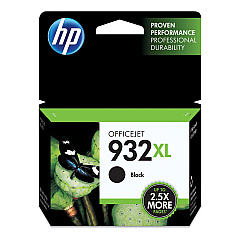
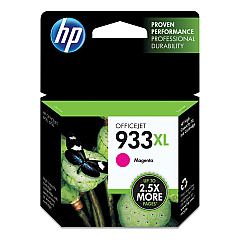
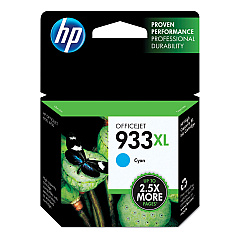
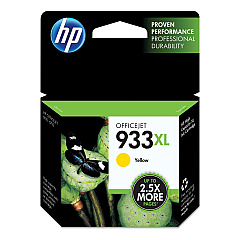
Ensure your HP Officejet 6100 ePrinter continues to deliver exceptional print quality with our genuine HP Officejet 6100 ePrinter Ink Cartridges. This versatile printer relies on four individual ink cartridges: HP CN053AN Black, HP CN054AN Cyan, HP CN055AN Magenta, and HP CN056AN Yellow. By using separate cartridges for each color, you can replace only the ink that's depleted, maximizing efficiency and reducing waste. These high-capacity cartridges are designed to produce crisp text and vibrant images, perfect for both professional documents and eye-catching marketing materials. Compatible with various paper types, these inks ensure consistent performance across a range of printing tasks. Whether you're printing in high volumes or occasionally, these reliable HP ink cartridges will keep your Officejet 6100 ePrinter running smoothly, delivering the quality output you expect from HP.

HP Officejet 6100 ePrinter Printers Supplies FAQs

  • How long do HP Officejet 6100 ePrinter ink cartridges typically last?

    The lifespan of ink cartridges varies depending on usage, but on average, they can last for 200-300 pages for color cartridges and 400-500 pages for black cartridges.

  • Can I use third-party ink cartridges in my HP Officejet 6100 ePrinter?

    While third-party cartridges may work, HP recommends using genuine HP ink cartridges for optimal print quality and to maintain your printer's warranty.

  • How do I know when it's time to replace an ink cartridge?

    Your printer will display a low ink warning on its control panel or through your computer when a cartridge needs replacement.

  • Are these ink cartridges compatible with other HP printer models?

    These specific cartridges (CN053AN, CN054AN, CN055AN, CN056AN) are designed for the HP Officejet 6100 ePrinter and may be compatible with some other HP models. Always check your printer's compatibility before purchasing.

  • Can I recycle empty ink cartridges?

    Yes, HP offers a free recycling program for empty ink cartridges. You can return them to HP or drop them off at participating retail locations.

  • What's the shelf life of unopened ink cartridges?

    Unopened HP ink cartridges typically have a shelf life of 24 months from the date of manufacture when stored properly.

  • How can I extend the life of my ink cartridges?

    To extend cartridge life, print only when necessary, use draft mode for non-critical documents, and keep your printer on to maintain printhead health.

  • What should I do if my printer doesn't recognize a new ink cartridge?

    Try removing and reinserting the cartridge, cleaning the cartridge contacts, or running the printer's alignment process. If issues persist, contact HP support.

  • Can I mix genuine HP cartridges with refilled or remanufactured cartridges?

    While it's possible, HP doesn't recommend mixing cartridge types as it may affect print quality and could potentially damage your printer.

  • How do I properly store unused ink cartridges?

    Store unused cartridges in their original sealed packaging at room temperature, away from direct sunlight and heat sources, to maintain their quality and prevent them from drying out.

Warehouse Locations

Policy & Agreement | Copyright © 1995-2026 BlueDogInk.com
