




Ads

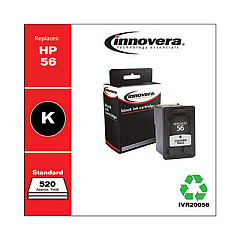
HP OfficeJet 5510 MFP Black Ink Cartridges

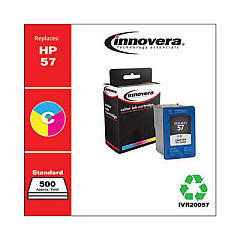
HP OfficeJet 5510 MFP Color Ink Cartridges

Enhance your printing experience with genuine HP OfficeJet 5510 MFP Ink Cartridges. These high-quality cartridges are designed specifically for your HP OfficeJet 5510 All-in-One printer, ensuring optimal performance and stunning results. The HP C6656AN Black Ink Cartridge delivers crisp, clear text for professional-looking documents, while the HP C6657AN Tri-Color Ink Cartridge produces vibrant, true-to-life images and graphics. These cartridges work seamlessly with your printer to provide consistent, reliable output for all your business, educational, or personal needs. With long-lasting ink formulations, you'll enjoy extended print runs and reduced cartridge replacements. Trust in the superior quality of genuine HP ink cartridges to protect your printer and maintain its longevity. Upgrade your printing capabilities today with HP OfficeJet 5510 MFP Ink Cartridges and experience the difference in your prints.

HP OfficeJet 5510 MFP Ink Cartridges FAQs

  • How often should I replace my HP OfficeJet 5510 MFP Ink Cartridges?

    Replacement frequency depends on usage, but typically when print quality diminishes or the printer indicates low ink levels.

  • Can I use non-HP ink cartridges in my OfficeJet 5510 MFP?

    While third-party cartridges may work, HP recommends using genuine HP cartridges for optimal performance and print quality.

  • What's the difference between the black and tri-color cartridges?

    The black cartridge (C6656AN) is for monochrome printing, while the tri-color cartridge (C6657AN) contains cyan, magenta, and yellow inks for color printing.

  • How many pages can I print with each cartridge?

    Page yield varies based on content and settings, but the C6656AN typically yields about 520 pages, while the C6657AN yields around 400 pages.

  • Are these cartridges compatible with other HP printers?

    These cartridges are designed for the HP OfficeJet 5510 MFP, but they may be compatible with other HP models. Check your printer's manual for compatibility.

  • How long do unopened ink cartridges last?

    Unopened cartridges typically last up to 24 months from the date of manufacture when stored properly.

  • Can I recycle used HP ink cartridges?

    Yes, HP offers a free recycling program for used ink cartridges. Visit HP's website for details on how to participate.

  • What should I do if my printer doesn't recognize the new cartridge?

    Try removing and reinserting the cartridge, cleaning the contacts, or running the printer's alignment process. If issues persist, contact HP support.

  • Is it normal for ink levels to decrease even when I'm not printing?

    Yes, small amounts of ink are used during routine maintenance processes to keep print heads clean and functioning properly.

  • Can I refill these ink cartridges myself?

    HP does not recommend refilling cartridges as it may affect print quality and potentially damage your printer. It's best to use new, genuine HP cartridges.

Warehouse Locations

Policy & Agreement | Copyright © 1995-2026 BlueDogInk.com
