




Ads

HP OfficeJet 5110 v Color Ink Cartridges

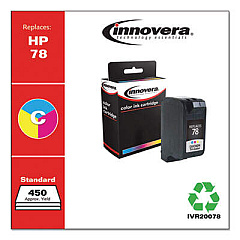
Ensure your HP OfficeJet 5110 v printer continues to deliver exceptional prints with our high-quality HP OfficeJet 5110 v Ink Cartridges. These reliable cartridges are designed to meet the demands of businesses, educational institutions, government offices, healthcare facilities, and wholesale operations. Our selection includes the Innovera Remanufactured Tri-Color Ink, a cost-effective replacement for the original HP 78 (C6578DN) cartridge. This eco-friendly option provides vibrant, long-lasting colors for all your printing needs. Whether you're producing important documents, eye-catching presentations, or high-quality marketing materials, these cartridges ensure crisp text and vivid images. Don't let low ink levels slow down your productivity – stock up on these reliable HP OfficeJet 5110 v Ink Cartridges today and keep your printing operations running smoothly. Trust in our quality to deliver professional results every time.

HP OfficeJet 5110 v Ink Cartridges FAQs

  • Are these ink cartridges compatible with the HP OfficeJet 5110 v printer?

    Yes, these ink cartridges are specifically designed for use with the HP OfficeJet 5110 v printer.

  • What is the difference between OEM and remanufactured ink cartridges?

    OEM cartridges are made by the original equipment manufacturer (HP), while remanufactured cartridges are recycled and refilled by third-party companies, often at a lower cost.

  • How long do these ink cartridges typically last?

    The lifespan of ink cartridges varies depending on usage, but they generally last for several hundred pages of printing.

  • Is the Innovera Remanufactured Tri-Color Ink of comparable quality to the original HP cartridge?

    Yes, Innovera remanufactured cartridges are designed to meet or exceed OEM standards for print quality and page yield.

  • Can I use these cartridges for printing photos?

    Yes, these tri-color cartridges are suitable for printing both documents and photos with vibrant colors.

  • How do I install the ink cartridge in my HP OfficeJet 5110 v printer?

    Open the printer's front cover, remove the old cartridge, insert the new one until it clicks into place, and close the cover. The printer should recognize the new cartridge automatically.

  • Are these cartridges covered by a warranty?

    Yes, most remanufactured cartridges come with a satisfaction guarantee. Please check the specific product details for warranty information.

  • How should I store unused ink cartridges?

    Store unused cartridges in a cool, dry place in their original packaging. Avoid extreme temperatures and direct sunlight.

  • Can I recycle empty ink cartridges?

    Yes, many office supply stores and cartridge manufacturers offer recycling programs for empty ink cartridges.

  • What should I do if my printer doesn't recognize the new cartridge?

    Try removing and reinserting the cartridge, cleaning the cartridge contacts, or running the printer's alignment process. If issues persist, contact customer support.

Warehouse Locations

Policy & Agreement | Copyright © 1995-2026 BlueDogInk.com
