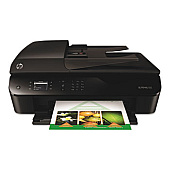
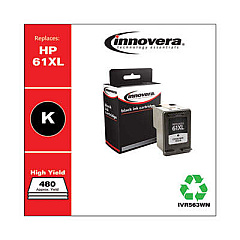
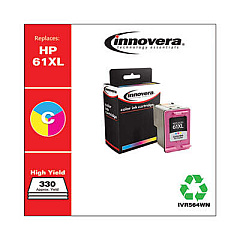
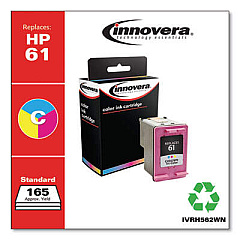






Black & Color Ink & Supplies for HP Officejet 4630 Printers

Ads

HP Officejet 4630 Black Ink Cartridges

HP Officejet 4630 Color Ink Cartridges

HP Officejet 4630 Copy Paper

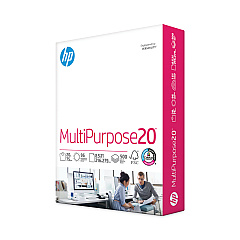
  • HP 115100 Multipurpose Paper

    Item 115100

    HP 115100 Multipurpose Paper

    HPM115RC Multipurpose Ultra White Paper, 96 Brightness, 20lb, 8-1/2 x 11, 500 sh..

    Status

    In Stock

    $50.99

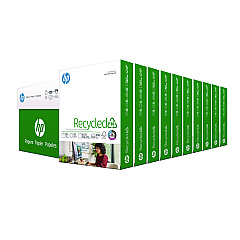
  • HP 112100 Recycled Paper

    Item 112100

    HP 112100 Recycled Paper

    HPE1120C Recycled Paper, 92 Bright, 20lb, 8-1/2 x 11, 500 sheets per ream, 10 re..

    Status

    In Stock

    Free Shipping

    $97.72

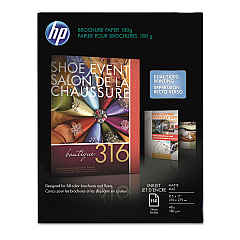
  • HP CH016A Inkjet Brochure Paper

    Item CH016A

    HP CH016A Inkjet Brochure Paper

    Inkjet Brochure/Flyer Paper, 103 Brightness, 48lb, 8-1/2 x 11, White, 150/Pack..

    Status

    In Stock

    $44.30

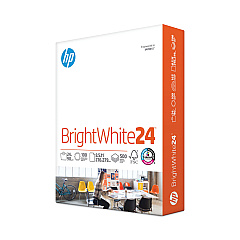
  • HP 203000 Bright White Inkjet Paper

    Item 203000

    HP 203000 Bright White Inkjet Paper

    HPB1124 Bright White Inkjet Paper, 97 Brightness, 24lb, 8-1/2 x 11, 500 Sheets/R..

    Status

    In Stock

    $14.10

  • HP 112000 Multipurpose Paper

    Item 112000

    HP 112000 Multipurpose Paper

    HPM1120R Multipurpose Ultra White Paper, 96 Brightness, 20lb, 8 1/2 x 11, 500 Sh..

    Status

    In Stock

    $10.09

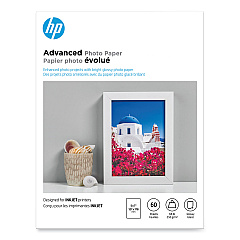
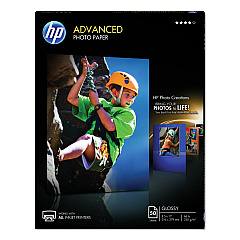
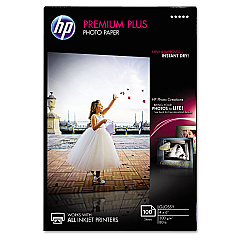
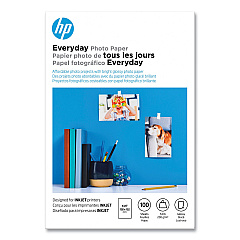
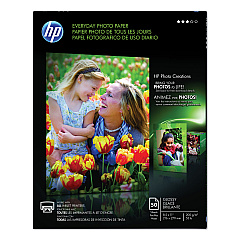
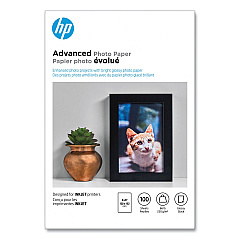
HP Officejet 4630 Photo Paper

Keep your HP Officejet 4630 printer running smoothly with genuine HP Officejet 4630 Ink Cartridges. These high-quality ink supplies ensure crisp, vibrant prints for all your business and personal needs. Choose from a range of cartridge options, including the HP CH561WN Black Ink Cartridge for sharp text, and the HP CH562WN Tricolor Ink Cartridge for vivid color documents and photos. For higher volume printing, opt for the HP CH563WN High-Yield Black Ink Cartridge or the HP CH564WN High-Yield Tricolor Ink Cartridge. These cartridges are designed specifically for your HP Officejet 4630, guaranteeing optimal performance and print quality. Whether you're printing important business documents, school projects, or family photos, these reliable ink cartridges deliver consistent results page after page. Trust in HP's superior ink technology to bring your ideas to life with stunning clarity and color accuracy.

Black & Color Ink & Supplies for HP Officejet 4630 Printers FAQs

  • Is HP OfficeJet 4630 a laser printer?

    No, HP Officejet 4630 is a midrange multifunction inkjet printer; a cost-effective device for busy home offices that need to print, copy, scan, and fax. Inkjet printers however are not the same as laser printers.

  • What ink cartridges are compatible with the HP Officejet 4630 printer?

    The HP Officejet 4630 is compatible with HP CH561WN Black, HP CH562WN Tricolor, HP CH563WN High-Yield Black, and HP CH564WN High-Yield Tricolor ink cartridges.

  • Why is HP ink more expensive than other brands?

    Because ink technology is expensive to develop, and you pay for reliability and image quality. Users concerned about cost per page can buy "XL" ink cartridges from HP that last two to three times longer. The HP Officejet 4630 uses the HP 61 cartridge series.

  • How long do HP Officejet 4630 ink cartridges typically last?

    The lifespan of ink cartridges varies depending on usage, but standard cartridges typically yield about 190 pages for black and 165 pages for color, while high-yield cartridges can print up to 480 pages for black and 330 pages for color.

  • Is it cheaper to buy a new printer than replacement ink for my HP Officejet 4630?

    Although this is a very common misconception, ink cartridges provided with brand new printers have smaller sizes than the cartridges purchased at the store. You may think you're saving money, but if you buy an ink cartridge replacement, you'll need to replace it according to the manufacturer's specifications much more quickly. Don't be wasteful, and think of the environment, too. A perfectly good printer shouldn't be thrown out even if it saves some money on ink, which, of course, it doesn't.

  • Can I use third-party ink cartridges in my HP Officejet 4630?

    While third-party cartridges may work, HP recommends using genuine HP ink cartridges to ensure optimal print quality and to protect your printer's warranty.

  • Why is my HP printer running out of ink so fast?

    Some printers are more economical than others when it comes to ink usage. The HP officejet 4630 is known for its rapid color ink consumption, so unless you're planning on upgrading to a new printer, make sure you shop with BlueDogInk and get the best possible prices on your ink refills.

  • How do I install new ink cartridges in my HP Officejet 4630?

    To install new cartridges, open the ink cartridge access door, wait for the carriage to move to the center, remove the old cartridge, insert the new one, and close the access door. The printer will automatically align the new cartridges.

  • What's the difference between standard and high-yield ink cartridges?

    High-yield cartridges contain more ink and can print more pages than standard cartridges, making them more cost-effective for users who print frequently.

  • How can I check the ink levels in my HP Officejet 4630?

    You can check ink levels through the printer's control panel, or by using the HP Smart app on your computer or mobile device.

  • Are HP Officejet 4630 ink cartridges recyclable?

    Yes, HP offers a free recycling program for used ink cartridges through their HP Planet Partners initiative.

  • Can I use HP Instant Ink with my HP Officejet 4630?

    Yes, the HP Officejet 4630 is compatible with HP Instant Ink, a subscription service that automatically sends you ink when your printer is running low.

  • What should I do if my HP Officejet 4630 doesn't recognize a new ink cartridge?

    Try removing and reinserting the cartridge, cleaning the cartridge contacts, or running the printer's cleaning utility. If issues persist, contact HP support.

  • Can I mix different brands of ink cartridges in my HP Officejet 4630?

    It's not recommended to mix different brands of ink cartridges. Using non-HP cartridges may affect print quality and could potentially damage your printer.

Warehouse Locations

Policy & Agreement | Copyright © 1995-2026 BlueDogInk.com
