




Ads

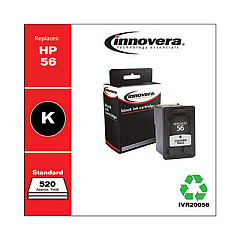
HP OfficeJet 4215 xi Black Ink Cartridges

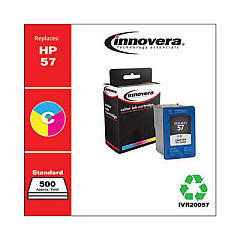
HP OfficeJet 4215 xi Color Ink Cartridges

Ensure your HP OfficeJet 4215 xi performs at its best with genuine HP OfficeJet 4215 xi Ink Cartridges from BlueDogInk.com. Our selection includes the essential HP C6656AN Black Ink Cartridge and HP C6657AN Tri-Color Ink Cartridge, designed specifically for your printer model. These high-quality cartridges deliver crisp text and vibrant colors, perfect for both professional documents and eye-catching graphics. With our competitive pricing and reliable shipping, you'll never have to worry about running out of ink again. Whether you're printing important business reports, school assignments, or family photos, these genuine HP cartridges ensure consistent, superior results every time. Don't settle for subpar prints – choose BlueDogInk.com for all your HP OfficeJet 4215 xi Ink Cartridges needs and experience the difference in print quality and reliability.

HP OfficeJet 4215 xi Ink Cartridges FAQs

  • How long do HP OfficeJet 4215 xi ink cartridges typically last?

    The lifespan of ink cartridges varies depending on usage, but on average, they can last for about 200-300 pages for black ink and 150-200 pages for color ink.

  • Are these ink cartridges compatible with other HP printer models?

    While these cartridges are designed specifically for the HP OfficeJet 4215 xi, they may be compatible with some other HP models. Always check your printer's compatibility before purchasing.

  • Can I use third-party ink cartridges in my HP OfficeJet 4215 xi?

    While third-party cartridges may work, using genuine HP cartridges ensures the best print quality and helps maintain your printer's warranty.

  • How do I install new ink cartridges in my HP OfficeJet 4215 xi?

    Open the printer's front cover, wait for the cartridge carrier to move to the center, remove the old cartridges, insert the new ones, and close the cover. The printer will automatically align the cartridges.

  • What's the difference between the black and tri-color cartridges?

    The black cartridge (C6656AN) contains only black ink, while the tri-color cartridge (C6657AN) contains cyan, magenta, and yellow inks for color printing.

  • How can I tell if my ink cartridges are running low?

    Your printer's software will typically alert you when ink levels are low. You can also check ink levels through the printer's control panel or by printing a test page.

  • Do you offer bulk discounts on HP OfficeJet 4215 xi ink cartridges?

    Yes, we offer discounts on bulk purchases. Please check our website or contact our customer service for current promotions and volume pricing.

  • What's your return policy for ink cartridges?

    We offer a 30-day return policy for unopened, undamaged ink cartridges. Please contact our customer service for specific return instructions.

  • How should I store unused ink cartridges?

    Store unused cartridges in their original packaging, at room temperature, and away from direct sunlight. Avoid extreme temperatures and humidity.

  • Are these ink cartridges environmentally friendly?

    HP offers a recycling program for used ink cartridges. You can return your empty cartridges to HP or participating retailers for proper recycling.

Warehouse Locations

Policy & Agreement | Copyright © 1995-2026 BlueDogInk.com
