





Ads

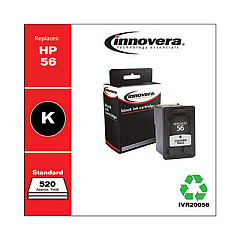
HP Officejet 4215 All-in-One Series Black Ink Cartridges

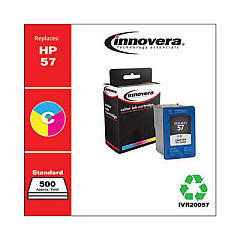
HP Officejet 4215 All-in-One Series Color Ink Cartridges

HP Officejet 4215 All-in-One Series Warranty and Services

  • HP UQ207E Exchange Warranty

    Item UQ207E

    HP UQ207E Exchange Warranty

    HP Electronic Care Pack (Business Priority Support) (Next Business Day Exchange)..

    Status

    In Stock

    $39.99

Ensure uninterrupted productivity with genuine HP Officejet 4215 All-in-One Series Ink Cartridges. These high-quality cartridges are specifically designed for optimal performance in your HP Officejet 4215 printer, delivering crisp text and vibrant colors for all your printing needs. The series includes the HP C6656AN Black Ink Cartridge for sharp, professional-looking documents and the HP C6657AN Tri-Color Ink Cartridge for stunning color prints and photos. These cartridges offer reliable, smudge-resistant results and are easy to install, making them ideal for busy offices, schools, and healthcare facilities. With their long-lasting formula, you'll enjoy consistent print quality and reduced cartridge replacements. Choose HP Officejet 4215 All-in-One Series Ink Cartridges for dependable performance and exceptional print quality that meets the demands of your business or organization.

HP Officejet 4215 All-in-One Series Printers Supplies FAQs

  • How long do HP Officejet 4215 ink cartridges typically last?

    The lifespan of ink cartridges varies depending on usage, but on average, they can last for about 200-300 pages for black ink and 150-200 pages for color ink.

  • Are these ink cartridges compatible with other HP printer models?

    These cartridges are specifically designed for the HP Officejet 4215 All-in-One Series. Always check your printer's compatibility before purchasing ink cartridges.

  • Can I use third-party ink cartridges in my HP Officejet 4215?

    While third-party cartridges may work, using genuine HP cartridges ensures optimal print quality and prevents potential damage to your printer.

  • How do I install the ink cartridges in my HP Officejet 4215?

    Open the printer's front cover, wait for the cartridge carrier to move to the center, remove the old cartridge, insert the new one, and close the cover. The printer will automatically align the cartridges.

  • What's the difference between the black and tri-color cartridges?

    The black cartridge (C6656AN) contains only black ink, while the tri-color cartridge (C6657AN) contains cyan, magenta, and yellow inks for color printing.

  • How can I extend the life of my ink cartridges?

    Print in draft mode for non-critical documents, avoid unnecessary color printing, and keep your printer on to prevent ink from drying out.

  • What should I do if my printer doesn't recognize the new cartridge?

    Remove the cartridge, clean the contacts with a lint-free cloth, reinsert it, and restart your printer. If the issue persists, contact HP support.

  • Can I recycle used HP ink cartridges?

    Yes, HP offers a free recycling program for used ink cartridges. Visit their website or check with local office supply stores for recycling options.

  • How should I store unused ink cartridges?

    Store cartridges in their original sealed packaging, at room temperature, and away from direct sunlight to maintain their quality and prevent them from drying out.

  • What's the shelf life of unopened HP ink cartridges?

    Unopened HP ink cartridges typically have a shelf life of 24 months from the date of manufacture when stored properly.

Warehouse Locations

Policy & Agreement | Copyright © 1995-2026 BlueDogInk.com
