




Ads

HP Mopier 240 Black Toner Cartridges

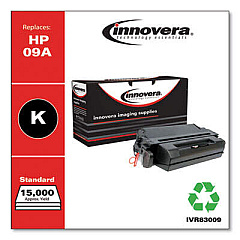
Ensure uninterrupted productivity with high-quality HP Mopier 240 Toner Cartridges. These reliable cartridges are designed to deliver crisp, professional-grade prints for your business, educational institution, government office, healthcare facility, or wholesale operation. Compatible with the HP Mopier 240 printer, these toner cartridges offer exceptional value and performance. The Innovera Remanufactured Black Toner, a replacement for the 09A (C3909A), provides an eco-friendly and cost-effective alternative without compromising on print quality. With consistent, bold black output and impressive page yields, these cartridges meet the demands of high-volume printing environments. Whether you're producing important documents, reports, or presentations, HP Mopier 240 Toner Cartridges ensure your prints make a lasting impression. Choose these reliable toner cartridges to maximize your printer's potential and maintain the professional image your organization deserves.

HP Mopier 240 Toner Cartridges FAQs

  • What is the page yield of the HP Mopier 240 Toner Cartridge?

    The page yield varies depending on the specific cartridge model, but typically ranges from 15,000 to 30,000 pages.

  • Is the Innovera Remanufactured Black Toner compatible with the HP Mopier 240?

    Yes, the Innovera Remanufactured Black Toner is fully compatible with the HP Mopier 240 printer.

  • How long does an HP Mopier 240 Toner Cartridge typically last?

    The lifespan of a toner cartridge depends on usage, but it can last several months to a year in a typical office environment.

  • Are remanufactured toner cartridges as good as original HP cartridges?

    Remanufactured cartridges like the Innovera model are designed to meet or exceed OEM standards, offering comparable quality at a lower cost.

  • Can I recycle my used HP Mopier 240 Toner Cartridges?

    Yes, HP offers a recycling program for used toner cartridges, and many office supply stores also accept them for recycling.

  • How do I install a new toner cartridge in the HP Mopier 240?

    Open the printer's front cover, remove the old cartridge, unpack the new one, and insert it into the printer until it clicks into place.

  • What should I do if I experience print quality issues with my HP Mopier 240 Toner Cartridge?

    Try cleaning the printer's interior, checking for damage to the cartridge, and ensuring it's properly installed. If issues persist, contact customer support.

  • Can I use non-HP toner cartridges in my HP Mopier 240?

    While you can use compatible or remanufactured cartridges, it's important to choose high-quality ones to ensure optimal printer performance.

  • How can I extend the life of my HP Mopier 240 Toner Cartridge?

    Use draft mode for internal documents, print in grayscale when possible, and keep the printer in a clean, dry environment.

  • Is there a warranty on HP Mopier 240 Toner Cartridges?

    Original HP cartridges typically come with a warranty, while warranties on remanufactured cartridges may vary by manufacturer.

Warehouse Locations

Policy & Agreement | Copyright © 1995-2026 BlueDogInk.com
