




Ads

HP LaserJet Pro P1107 Black Toner Cartridges

HP LaserJet Pro P1107 Toner Set

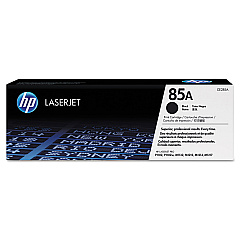
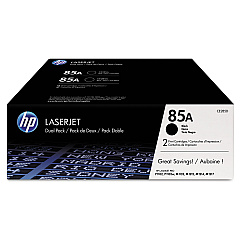
Ensure uninterrupted printing with genuine HP LaserJet Pro P1107 Toner Cartridges. These high-quality cartridges are designed specifically for your HP LaserJet Pro P1107 printer, delivering crisp, professional-grade text and graphics. Choose from various options to suit your printing needs, including the cost-effective HP 85A Black Toner Cartridge Tri-Pack (CE285AT1) for high-volume printing, the standard HP CE285A Black Toner Cartridge for everyday use, or the convenient HP CE285D Toner Cartridge Dual Pack. These cartridges offer reliable performance, consistent print quality, and optimal page yields, ensuring your business, educational institution, government office, healthcare facility, or wholesale operation maintains peak productivity. With genuine HP toner cartridges, you'll experience fewer printer jams, reduced waste, and superior print results that meet the demands of your professional environment.

HP LaserJet Pro P1107 Toner Cartridges FAQs

  • What is the page yield for the HP CE285A Black Toner Cartridge?

    The HP CE285A Black Toner Cartridge typically yields approximately 1,600 pages.

  • Are these toner cartridges compatible with other HP LaserJet models?

    These cartridges are specifically designed for the HP LaserJet Pro P1107. Always check your printer's compatibility before purchasing.

  • How long do unopened toner cartridges last?

    Unopened toner cartridges can last up to two years if stored properly in a cool, dry place.

  • What's the difference between the Tri-Pack and Dual Pack?

    The Tri-Pack contains three individual cartridges, while the Dual Pack contains two. The Tri-Pack offers more value for high-volume printing needs.

  • Are these genuine HP toner cartridges?

    Yes, these are genuine HP toner cartridges designed specifically for HP LaserJet printers.

  • Can I recycle used toner cartridges?

    Yes, HP offers a recycling program for used toner cartridges. Check their website for details on how to participate.

  • How do I install a new toner cartridge in my HP LaserJet Pro P1107?

    Open the printer's top cover, remove the old cartridge, unpack the new one, and insert it into the printer. Close the cover to complete installation.

  • What should I do if I experience print quality issues?

    First, ensure you're using genuine HP toner cartridges. If issues persist, try cleaning the printer and checking for software updates.

  • Is it safe to use third-party or refilled toner cartridges?

    While third-party cartridges may be cheaper, they can potentially damage your printer and void its warranty. It's recommended to use genuine HP cartridges.

  • How can I maximize the lifespan of my toner cartridge?

    Use draft mode for non-critical prints, print in grayscale when possible, and keep your printer clean and well-maintained to maximize toner cartridge lifespan.

Warehouse Locations

Policy & Agreement | Copyright © 1995-2026 BlueDogInk.com
