




Ads

HP LaserJet Pro MFP M125nw Black Toner Cartridges

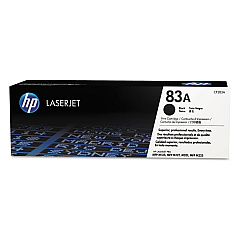
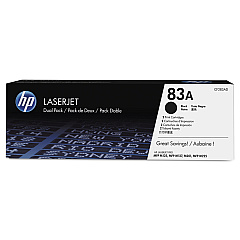
Enhance your printing experience with genuine HP LaserJet Pro MFP M125nw Toner Cartridges. These high-quality cartridges are designed specifically for the HP LaserJet Pro MFP M125nw printer, ensuring optimal performance and crisp, professional-quality prints. Choose from the HP CF283A Black Toner Cartridge for standard printing needs or opt for the cost-effective HP CF283AD Black Toner Cartridge Dual Pack for high-volume printing environments. These cartridges deliver consistent, sharp text and graphics, making them ideal for businesses, educational institutions, and healthcare facilities. With their reliable performance and long-lasting output, these toner cartridges minimize downtime and maximize productivity. Trust in the superior quality of genuine HP LaserJet Pro MFP M125nw Toner Cartridges to meet all your printing needs, from everyday documents to important presentations.

HP LaserJet Pro MFP M125nw Toner Cartridges FAQs

  • What is the page yield of the HP CF283A Black Toner Cartridge?

    The HP CF283A Black Toner Cartridge has an approximate page yield of 1,500 pages.

  • Is the HP CF283AD Black Toner Cartridge Dual Pack compatible with the HP LaserJet Pro MFP M125nw?

    Yes, the HP CF283AD Black Toner Cartridge Dual Pack is fully compatible with the HP LaserJet Pro MFP M125nw printer.

  • How long do these toner cartridges typically last?

    The lifespan of the toner cartridges depends on usage, but they generally last several months under normal printing conditions.

  • Are these genuine HP toner cartridges?

    Yes, these are genuine HP toner cartridges designed specifically for the HP LaserJet Pro MFP M125nw printer.

  • Can I use third-party toner cartridges in my HP LaserJet Pro MFP M125nw?

    While third-party cartridges may work, using genuine HP toner cartridges ensures the best print quality and printer performance.

  • How do I install the toner cartridge in my HP LaserJet Pro MFP M125nw?

    To install the toner cartridge, open the printer's front cover, remove the old cartridge, and insert the new one until it clicks into place.

  • What should I do with my used toner cartridges?

    HP offers a free recycling program for used toner cartridges. You can return them to HP or participating retailers for environmentally friendly disposal.

  • How can I tell if my toner cartridge is running low?

    Your printer will display a low toner warning on its control panel or through the printer software on your computer.

  • Is there a difference in print quality between the single cartridge and the dual pack?

    No, both the single cartridge and the dual pack contain the same high-quality toner and will produce identical print results.

  • Can these toner cartridges be used in other HP printer models?

    These specific toner cartridges are designed for the HP LaserJet Pro MFP M125nw and may not be compatible with other printer models. Always check your printer's compatibility before purchasing.

Warehouse Locations

Policy & Agreement | Copyright © 1995-2026 BlueDogInk.com
