




Ads

HP LaserJet Pro M501n Black Toner Cartridges

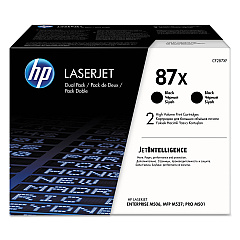
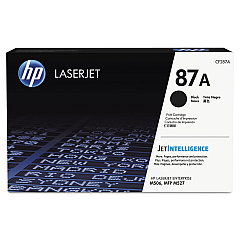
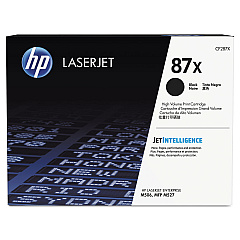
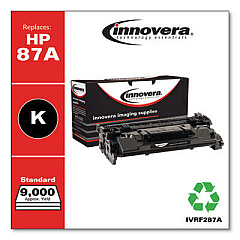
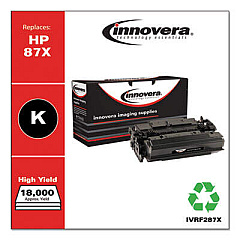
Ensure peak performance for your HP LaserJet Pro M501n with our premium HP LaserJet Pro M501n Toner Cartridges. These high-quality cartridges are designed to deliver crisp, professional-grade prints for businesses, schools, government offices, and healthcare facilities. Choose from the standard CF287A Black Toner Cartridge for everyday printing needs, or opt for the high-yield CF287X Black Toner Cartridge for extended use. For maximum efficiency, consider the CF287XD Black Toner Cartridge Pack, which includes two CF287X cartridges at a cost-effective price. Our genuine HP toner cartridges guarantee optimal print quality, reliability, and longevity for your LaserJet Pro M501n printer. Whether you're printing important documents, reports, or presentations, these toner cartridges ensure consistent, smudge-free results page after page. Maximize your printer's potential and minimize downtime with our top-tier HP LaserJet Pro M501n Toner Cartridges.

HP LaserJet Pro M501n Toner Cartridges FAQs

  • What is the page yield for the CF287A toner cartridge?

    The CF287A toner cartridge has an approximate page yield of 9,000 pages.

  • How does the CF287X differ from the CF287A?

    The CF287X is a high-yield cartridge with an approximate page yield of 18,000 pages, compared to the 9,000 pages of the CF287A.

  • Is the CF287XD compatible with the HP LaserJet Pro M501n?

    Yes, the CF287XD is compatible with the HP LaserJet Pro M501n. It's a pack containing two CF287X cartridges.

  • How long do these toner cartridges typically last?

    The lifespan of a toner cartridge depends on usage, but generally, they can last 18-24 months if stored properly.

  • Are these genuine HP toner cartridges?

    Yes, all the toner cartridges we offer for the HP LaserJet Pro M501n are genuine HP products.

  • Can I use third-party toner cartridges in my HP LaserJet Pro M501n?

    While third-party cartridges may work, we recommend using genuine HP cartridges for optimal performance and to maintain your printer's warranty.

  • How do I install a new toner cartridge in my HP LaserJet Pro M501n?

    To install, open the top cover, remove the old cartridge, unpack the new one, and insert it into the printer. Close the cover to complete installation.

  • What should I do with my used toner cartridges?

    HP offers a free recycling program for used toner cartridges. You can return them to HP or participating retailers for environmentally friendly disposal.

  • Do these toner cartridges come with a warranty?

    Yes, genuine HP toner cartridges come with a warranty against defects in materials and workmanship.

  • How can I tell if my toner cartridge is running low?

    Your HP LaserJet Pro M501n will display a low toner warning on its control panel when the cartridge is nearing the end of its life.

Warehouse Locations

Policy & Agreement | Copyright © 1995-2026 BlueDogInk.com
