




Ads

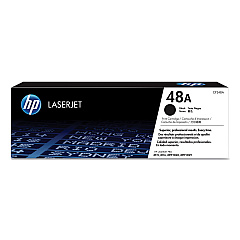
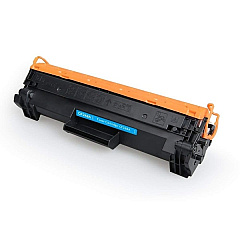
HP LaserJet Pro M15a Black Toner Cartridges

Ensure optimal performance for your compact printer with genuine HP LaserJet Pro M15a Toner Cartridges. These high-quality cartridges are specifically designed for the M15a model, delivering crisp, professional-grade text and graphics for all your printing needs. The HP CF248A Black Toner Cartridge is the perfect choice for this printer, offering reliable output and impressive page yields. Whether you're printing important business documents, school assignments, or personal projects, these toner cartridges provide consistent results every time. Engineered with HP's advanced toner technology, they produce sharp, bold prints while minimizing waste and environmental impact. Trust in the superior quality and reliability of genuine HP LaserJet Pro M15a Toner Cartridges to keep your printer running smoothly and efficiently, ensuring your documents always make a lasting impression.

HP LaserJet Pro M15a Toner Cartridges FAQs

  • What is the page yield of the HP CF248A Black Toner Cartridge?

    The HP CF248A Black Toner Cartridge has a page yield of approximately 1,000 pages.

  • Are these toner cartridges compatible with other HP LaserJet models?

    The HP CF248A is specifically designed for the HP LaserJet Pro M15a and may not be compatible with other models. Always check your printer's compatibility before purchasing.

  • How long do these toner cartridges typically last?

    The lifespan of the cartridge depends on usage, but under normal printing conditions, it should last several months to a year for average users.

  • Are these genuine HP toner cartridges?

    Yes, these are genuine HP toner cartridges designed specifically for the HP LaserJet Pro M15a printer.

  • Can I recycle the used toner cartridges?

    Yes, HP offers a recycling program for used toner cartridges. You can return them to HP or participating retailers for proper recycling.

  • Do these cartridges come with a warranty?

    Yes, genuine HP toner cartridges typically come with a warranty against defects in materials and workmanship.

  • How do I install the toner cartridge in my HP LaserJet Pro M15a?

    To install, open the printer's top cover, remove the old cartridge, unpack the new one, and insert it into the printer. Detailed instructions are included with the cartridge.

  • Are there any precautions I should take when handling toner cartridges?

    Avoid touching the green drum or exposing the cartridge to direct sunlight. Handle it carefully to prevent damage and ensure optimal performance.

  • Can I use third-party or refilled toner cartridges in my HP LaserJet Pro M15a?

    While third-party cartridges may work, HP recommends using genuine HP toner cartridges for the best print quality and to maintain your printer's warranty.

  • How can I tell if my toner cartridge is running low?

    Your printer will typically display a low toner warning. You may also notice a gradual decrease in print quality as the toner level decreases.

Warehouse Locations

Policy & Agreement | Copyright © 1995-2026 BlueDogInk.com
