








Ads

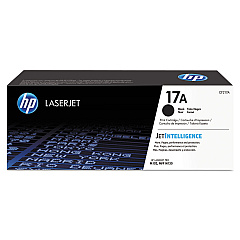
HP LaserJet Pro M130fw Black Toner Cartridges

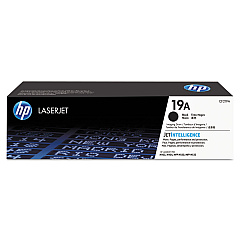
HP LaserJet Pro M130fw Drum Units

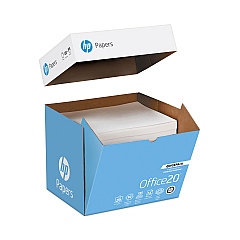
HP LaserJet Pro M130fw Copy Paper

Ensure optimal performance for your HP LaserJet Pro M130fw with genuine HP LaserJet Pro M130fw Toner Cartridges from BlueDogInk.com. Our selection includes the essential HP CF217A Black Toner Cartridge and HP CF219A Imaging Drum, designed to deliver crisp, professional-quality prints every time. These authentic HP supplies are engineered to work seamlessly with your printer, maximizing efficiency and minimizing downtime. The CF217A Black Toner Cartridge offers high-yield output, while the CF219A Imaging Drum ensures long-lasting image quality. By choosing genuine HP cartridges, you're investing in reliability and consistency for all your printing needs. Whether you're a small business, educational institution, or healthcare facility, our HP LaserJet Pro M130fw supplies provide the quality and performance you demand. Trust BlueDogInk.com for all your HP LaserJet Pro M130fw Toner Cartridges and printing essentials.

HP LaserJet Pro M130fw Toner Cartridges FAQs

  • How long does the HP CF217A Black Toner Cartridge last?

    The HP CF217A Black Toner Cartridge typically yields around 1,600 pages, depending on print density and usage patterns.

  • Is the HP CF219A Imaging Drum compatible with other HP printers?

    The HP CF219A Imaging Drum is specifically designed for the HP LaserJet Pro M130fw and other compatible models in the M130 series.

  • How often should I replace the imaging drum?

    The HP CF219A Imaging Drum typically needs replacement after approximately 12,000 pages, but this can vary based on usage.

  • Are these genuine HP cartridges?

    Yes, all toner cartridges and supplies sold on BlueDogInk.com for the HP LaserJet Pro M130fw are genuine HP products.

  • Can I use third-party or refilled cartridges in my HP LaserJet Pro M130fw?

    While third-party cartridges may work, using genuine HP cartridges ensures optimal print quality and prevents potential damage to your printer.

  • How do I install the toner cartridge in my HP LaserJet Pro M130fw?

    To install, open the printer's front cover, remove the old cartridge, and insert the new HP CF217A cartridge until it clicks into place. Then close the cover.

  • What's the difference between the toner cartridge and the imaging drum?

    The toner cartridge (CF217A) contains the ink powder, while the imaging drum (CF219A) transfers the toner onto the paper during printing.

  • Do you offer bulk discounts for these cartridges?

    Yes, BlueDogInk.com often provides discounts for bulk purchases. Please check our website or contact customer service for current offers.

  • How can I recycle my used HP toner cartridges?

    HP offers a free recycling program for genuine HP cartridges. You can find details on their website or inquire about recycling options when purchasing from BlueDogInk.com.

  • What should I do if I experience print quality issues with these cartridges?

    First, ensure the cartridge is properly installed. If issues persist, try printing a test page or cleaning the printer. If problems continue, contact HP support or BlueDogInk.com customer service for assistance.

Warehouse Locations

Policy & Agreement | Copyright © 1995-2026 BlueDogInk.com
