




Ads

HP LaserJet Pro M1210 Series Black Toner Cartridges

HP LaserJet Pro M1210 Series Toner Set

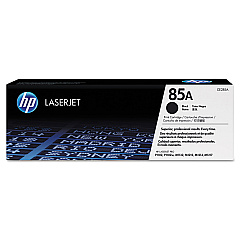
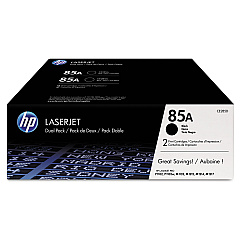
Ensure uninterrupted printing with genuine HP LaserJet Pro M1210 Series Toner Cartridges. These high-quality cartridges are designed specifically for your HP LaserJet Pro M1210 Series printer, delivering crisp, professional-grade text and graphics. Choose from various options, including the cost-effective HP 85A Black Toner Cartridge Tri-Pack (CE285AT1) for bulk printing needs, the standard HP CE285A Black Toner Cartridge for everyday use, or the convenient HP CE285D Toner Cartridge Dual Pack. Each cartridge is engineered to work seamlessly with your printer, providing consistent, reliable performance and exceptional print quality. Whether you're printing important business documents, educational materials, or healthcare records, these toner cartridges ensure your prints make a lasting impression. Invest in genuine HP toner cartridges to maximize your printer's efficiency and protect your investment in the long run.

HP LaserJet Pro M1210 Series Toner Cartridges FAQs

  • What is the page yield for the HP CE285A Black Toner Cartridge?

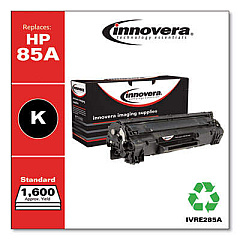
    The HP CE285A Black Toner Cartridge has an approximate page yield of 1,600 pages based on 5% coverage.

  • Are these toner cartridges compatible with all HP LaserJet Pro M1210 Series printers?

    Yes, these toner cartridges are designed to be compatible with all HP LaserJet Pro M1210 Series printers.

  • How long do these toner cartridges typically last?

    The lifespan of a toner cartridge depends on usage, but under normal printing conditions, they can last several months to a year.

  • Can I use third-party toner cartridges in my HP LaserJet Pro M1210 Series printer?

    While third-party cartridges may work, HP recommends using genuine HP toner cartridges for optimal performance and print quality.

  • What's the difference between the Tri-Pack, Dual Pack, and single cartridge options?

    The Tri-Pack contains three cartridges, the Dual Pack contains two, and the single option is just one cartridge. Bulk packs often offer better value for high-volume printing needs.

  • How do I install a new toner cartridge in my HP LaserJet Pro M1210 Series printer?

    To install, open the printer's front cover, remove the old cartridge, unpack the new one, and insert it into the printer until it clicks into place. Close the cover to complete installation.

  • Are these toner cartridges environmentally friendly?

    HP offers a recycling program for used toner cartridges, helping to reduce environmental impact. Check HP's website for details on their recycling initiatives.

  • How can I tell if my toner cartridge is running low?

    Your printer should display a low toner warning. You may also notice a gradual decrease in print quality as the toner runs low.

  • Can I store unused toner cartridges for later use?

    Yes, you can store unused cartridges. Keep them in their original packaging in a cool, dry place away from direct sunlight. Use within the expiration date for best results.

  • What should I do if I experience print quality issues with these toner cartridges?

    First, ensure the cartridge is properly installed. If issues persist, try printing a test page or cleaning the printer. If problems continue, contact HP support for assistance.

Warehouse Locations

Policy & Agreement | Copyright © 1995-2026 BlueDogInk.com
