




Ads

HP LaserJet Pro M1132 MFP Black Toner Cartridges

HP LaserJet Pro M1132 MFP Toner Set

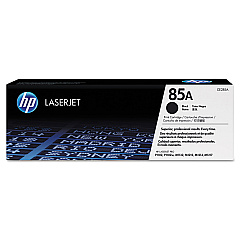
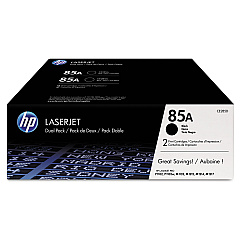
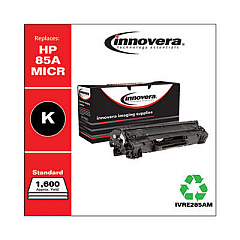
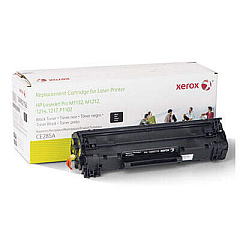
Ensure uninterrupted productivity with genuine HP LaserJet Pro M1132 MFP Toner Cartridges. These high-quality cartridges are designed specifically for your HP LaserJet Pro M1132 MFP, delivering crisp, professional-grade prints every time. Choose from various options to suit your printing needs: the HP 85A Black Toner Cartridge Tri-Pack (CE285AT1) for bulk savings, the individual HP CE285A Black Toner Cartridge for standard use, or the HP CE285D Toner Cartridge Dual Pack for a perfect balance. Each cartridge is engineered to work seamlessly with your printer, ensuring consistent performance and preventing potential damage. With these reliable toner cartridges, you'll experience enhanced print quality, reduced waste, and optimal cost-efficiency. Whether you're printing important business documents, educational materials, or healthcare records, trust HP LaserJet Pro M1132 MFP Toner Cartridges to deliver exceptional results page after page.

HP LaserJet Pro M1132 MFP Toner Cartridges FAQs

  • How many pages can I print with an HP CE285A Black Toner Cartridge?

    The HP CE285A Black Toner Cartridge typically yields approximately 1,600 pages based on 5% coverage.

  • Are these toner cartridges compatible with other HP printers?

    These cartridges are specifically designed for the HP LaserJet Pro M1132 MFP. Always check your printer's compatibility before purchasing.

  • What's the difference between the Tri-Pack, Dual Pack, and individual cartridge?

    The Tri-Pack contains three cartridges, the Dual Pack contains two, and the individual is a single cartridge. Bulk packs often offer better value for high-volume printing.

  • How long do these toner cartridges last?

    The lifespan depends on usage, but unopened cartridges typically last 18-24 months. Once installed, use within 6 months for best results.

  • Are these genuine HP cartridges?

    Yes, these are genuine HP toner cartridges, ensuring optimal performance and print quality for your HP LaserJet Pro M1132 MFP.

  • Can I recycle these toner cartridges?

    Yes, HP offers a free recycling program for their toner cartridges. Check HP's website for details on how to participate.

  • What should I do if my prints are coming out faded?

    First, try gently shaking the cartridge to redistribute the toner. If the issue persists, the cartridge may need replacement.

  • Is it safe to use third-party or refilled cartridges?

    While cheaper, third-party cartridges may compromise print quality and potentially damage your printer. We recommend using genuine HP cartridges for best results.

  • How do I install a new toner cartridge in my HP LaserJet Pro M1132 MFP?

    Open the printer's front cover, remove the old cartridge, unpack the new one (removing all sealing tape), and insert it until it clicks into place. Close the cover to complete installation.

  • Do these cartridges come with a warranty?

    Yes, genuine HP toner cartridges come with a warranty. If you experience any issues, contact HP customer support for assistance.

Warehouse Locations

Policy & Agreement | Copyright © 1995-2026 BlueDogInk.com
