




Ads

HP LaserJet P2010 Series Black Toner Cartridges

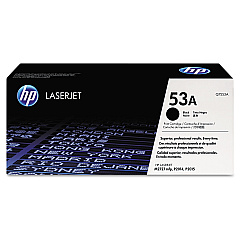
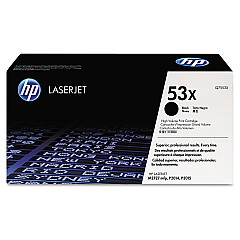
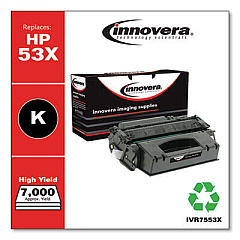
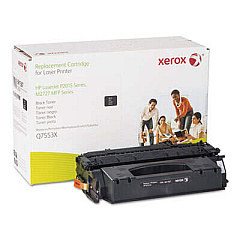
Enhance your printing experience with genuine HP LaserJet P2010 Series Toner Cartridges. These high-quality cartridges are designed specifically for the HP LaserJet P2010 series printers, ensuring optimal performance and crisp, professional results. Choose between the standard-yield HP Q7553A Black Toner Cartridge or the high-yield HP Q7553X Black Toner Cartridge to meet your printing needs. The Q7553A offers up to 3,000 pages of sharp, clear text and graphics, while the Q7553X delivers an impressive 7,000 pages, perfect for high-volume printing environments. Both cartridges feature HP's advanced toner formulation, providing consistent, smudge-free output and reliable performance. Whether you're printing important business documents or educational materials, these genuine HP toner cartridges guarantee exceptional quality and value for your HP LaserJet P2010 series printer.

HP LaserJet P2010 Series Toner Cartridges FAQs

  • What is the page yield for the HP Q7553A toner cartridge?

    The HP Q7553A toner cartridge has a page yield of approximately 3,000 pages.

  • What is the page yield for the HP Q7553X toner cartridge?

    The HP Q7553X toner cartridge has a higher page yield of approximately 7,000 pages.

  • Are these toner cartridges compatible with all HP LaserJet P2010 series printers?

    Yes, both the HP Q7553A and Q7553X toner cartridges are compatible with all HP LaserJet P2010 series printers.

  • What is the difference between the Q7553A and Q7553X cartridges?

    The main difference is the page yield. The Q7553X is a high-yield cartridge that prints more pages than the standard Q7553A cartridge.

  • Are these genuine HP toner cartridges?

    Yes, these are genuine HP toner cartridges designed specifically for HP LaserJet P2010 series printers.

  • How long do these toner cartridges typically last?

    The lifespan of the cartridges depends on your printing volume. Under normal use, the Q7553A can last several months, while the Q7553X may last even longer.

  • Can I use third-party or refilled cartridges instead?

    While third-party cartridges may be available, using genuine HP cartridges ensures the best print quality and printer performance, and maintains your printer's warranty.

  • How do I install these toner cartridges?

    Installation is simple. Open your printer's front cover, remove the old cartridge, and insert the new one until it clicks into place. Detailed instructions are included with each cartridge.

  • Are these cartridges environmentally friendly?

    Yes, HP offers a recycling program for used toner cartridges, helping to reduce environmental impact.

  • What should I do if I experience print quality issues with these cartridges?

    If you experience any issues, first try removing and reinserting the cartridge. If problems persist, contact HP customer support for assistance.

Warehouse Locations

Policy & Agreement | Copyright © 1995-2026 BlueDogInk.com
