




Ads

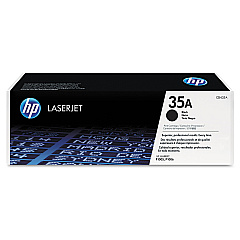
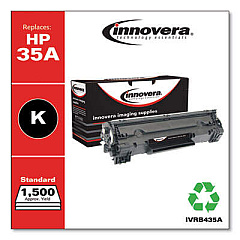
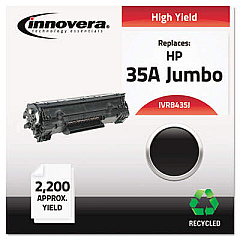
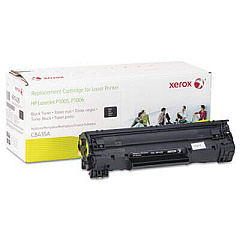
HP LaserJet P1003 Black Toner Cartridges

Ensure uninterrupted printing with genuine HP LaserJet P1003 Toner Cartridges. These high-quality cartridges are specifically designed for optimal performance in your HP LaserJet P1003 printer, delivering crisp, professional-grade text and graphics. Choose between the standard HP CB435A Black Toner Cartridge for everyday printing needs or opt for the cost-effective HP CB435D Black Toner Cartridge Dual Pack for high-volume printing environments. These cartridges offer reliable output, consistent print quality, and impressive page yields, making them ideal for businesses, educational institutions, and healthcare facilities. By using authentic HP toner, you'll maximize your printer's efficiency and extend its lifespan. Experience the perfect balance of affordability and quality with HP LaserJet P1003 Toner Cartridges, ensuring your documents always make a lasting impression.

HP LaserJet P1003 Toner Cartridges FAQs

  • What is the page yield of the HP CB435A Black Toner Cartridge?

    The HP CB435A Black Toner Cartridge has an approximate page yield of 1,500 pages based on 5% coverage.

  • Are these toner cartridges compatible with other HP LaserJet models?

    While designed for the HP LaserJet P1003, these cartridges may be compatible with other HP LaserJet models. Always check your printer's specifications for compatibility.

  • How long do HP LaserJet P1003 Toner Cartridges typically last?

    The lifespan of a toner cartridge depends on usage, but under normal conditions, it can last several months to a year.

  • Can I use third-party toner cartridges in my HP LaserJet P1003?

    While third-party cartridges may work, using genuine HP toner cartridges ensures optimal print quality and prevents potential damage to your printer.

  • What's the difference between the CB435A and CB435D cartridges?

    The CB435A is a single cartridge, while the CB435D is a dual pack containing two CB435A cartridges, offering better value for high-volume printing.

  • How should I store unused toner cartridges?

    Store unused cartridges in their original packaging, away from direct sunlight and extreme temperatures, in a cool, dry place.

  • Are these toner cartridges environmentally friendly?

    HP offers a recycling program for used toner cartridges, promoting environmental sustainability.

  • How can I tell if my toner cartridge needs replacement?

    Your printer will typically display a low toner warning. You may also notice faded or inconsistent print quality.

  • Can I shake the toner cartridge to extend its life?

    Gently shaking the cartridge can redistribute toner and temporarily improve print quality, but it's not a long-term solution.

  • What should I do if I experience print quality issues with new cartridges?

    First, ensure the cartridge is properly installed. If issues persist, run your printer's cleaning cycle or contact HP support for assistance.

Warehouse Locations

Policy & Agreement | Copyright © 1995-2026 BlueDogInk.com
