




Ads

HP LaserJet P1002 Black Toner Cartridges

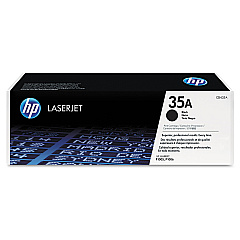
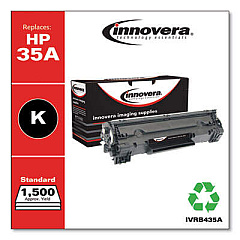
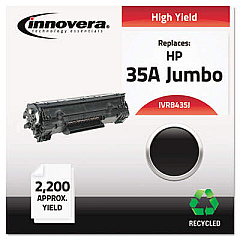
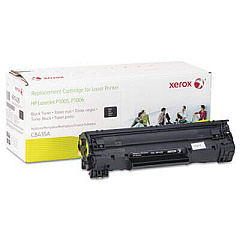
Ensure your HP LaserJet P1002 printer consistently delivers high-quality prints with our genuine HP LaserJet P1002 Toner Cartridges. These cartridges are specifically designed to work seamlessly with your printer, providing crisp, clear text and sharp images. Choose from the HP CB435A Black Toner Cartridge for standard printing needs or opt for the HP CB435D Black Toner Cartridge Dual Pack for added convenience and cost savings. These cartridges offer reliable performance, minimizing paper jams and print interruptions. With their high yield capacity, you'll enjoy longer periods between replacements, increasing productivity and reducing downtime. Trust in the superior quality of genuine HP toner to maintain your printer's optimal performance and extend its lifespan. Whether for business documents, educational materials, or personal use, these toner cartridges ensure professional-looking results every time.

HP LaserJet P1002 Toner Cartridges FAQs

  • How long does an HP LaserJet P1002 toner cartridge typically last?

    An HP LaserJet P1002 toner cartridge typically yields about 1,500 pages, depending on print density and usage patterns.

  • Are these toner cartridges compatible with other HP printer models?

    These cartridges are specifically designed for the HP LaserJet P1002 printer. Always check your printer's compatibility before purchasing.

  • What's the difference between the CB435A and CB435D cartridges?

    The CB435A is a single cartridge, while the CB435D is a dual pack containing two CB435A cartridges, offering better value for high-volume users.

  • Can I use third-party or refilled cartridges in my HP LaserJet P1002?

    While third-party cartridges may work, using genuine HP cartridges ensures optimal print quality and prevents potential damage to your printer.

  • How do I install a new toner cartridge in my HP LaserJet P1002?

    Open the printer's front cover, remove the old cartridge, unpack the new one, and insert it until it clicks into place. Close the cover to complete installation.

  • What should I do with my used toner cartridges?

    HP offers a free recycling program for used cartridges. You can return them to designated collection points or request a shipping label for mail-in recycling.

  • How can I extend the life of my toner cartridge?

    Use draft mode for non-critical prints, print in grayscale when possible, and ensure your printer firmware is up-to-date for optimal efficiency.

  • Are these toner cartridges covered by a warranty?

    Yes, genuine HP toner cartridges come with a warranty against defects in materials and workmanship for the life of the cartridge.

  • How should I store unused toner cartridges?

    Store cartridges in their original packaging, away from direct sunlight and extreme temperatures, and use them before the expiration date for best results.

  • Can these cartridges be used in duplex printing?

    Yes, these cartridges are compatible with duplex (double-sided) printing if your HP LaserJet P1002 printer supports this feature.

Warehouse Locations

Policy & Agreement | Copyright © 1995-2026 BlueDogInk.com
