




Ads

HP LaserJet MFP M234sdwe Black Toner Cartridges

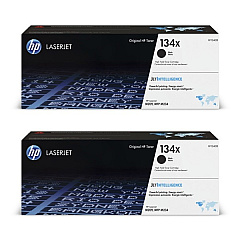
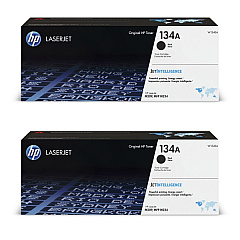
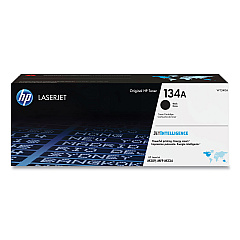
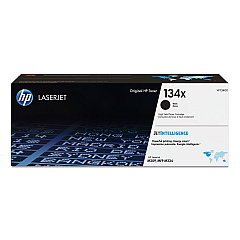
Ensure optimal performance for your HP LaserJet MFP M234sdwe with genuine HP LaserJet MFP M234sdwe Toner Cartridges. These high-quality cartridges are designed specifically for your printer, delivering crisp, professional-grade prints every time. Choose between the standard HP 134A Black Toner Cartridge W1340A for everyday printing needs, or opt for the HP 134X High Yield Black Toner Cartridge W1340X for increased page yield and cost-effectiveness. Both cartridges offer superior print quality, reliability, and consistency, making them ideal for businesses, educational institutions, government offices, and healthcare facilities. With these genuine HP toner cartridges, you'll experience fewer printer jams, reduced waste, and improved overall productivity. Trust in HP's commitment to excellence and sustainability by choosing these authentic toner cartridges for your HP LaserJet MFP M234sdwe printer.

HP LaserJet MFP M234sdwe Toner Cartridges FAQs

  • What is the page yield for the HP 134A Black Toner Cartridge W1340A?

    The HP 134A Black Toner Cartridge W1340A has a page yield of approximately 1,100 pages.

  • What is the page yield for the HP 134X High Yield Black Toner Cartridge W1340X?

    The HP 134X High Yield Black Toner Cartridge W1340X has a page yield of approximately 2,400 pages.

  • Are these toner cartridges compatible with other HP printer models?

    These toner cartridges are specifically designed for the HP LaserJet MFP M234sdwe printer. They may not be compatible with other HP printer models.

  • How long do these toner cartridges typically last?

    The lifespan of the toner cartridges depends on your printing volume. With average use, the standard cartridge may last 2-3 months, while the high-yield cartridge may last 4-6 months.

  • Can I use third-party or refilled toner cartridges in my HP LaserJet MFP M234sdwe?

    While third-party cartridges may work, HP recommends using genuine HP toner cartridges for optimal performance, print quality, and to maintain your printer's warranty.

  • How do I install a new toner cartridge in my HP LaserJet MFP M234sdwe?

    To install a new cartridge, open the printer's front cover, remove the old cartridge, unpack the new one, and insert it into the printer until it clicks into place. Close the cover to complete installation.

  • Are these toner cartridges environmentally friendly?

    Yes, HP toner cartridges are designed with sustainability in mind. They can be recycled through HP's Planet Partners program, helping to reduce environmental impact.

  • What should I do if I experience print quality issues with these toner cartridges?

    If you experience print quality issues, try cleaning the printer's internal components, checking for software updates, and ensuring the cartridge is properly installed. If problems persist, contact HP support.

  • Can I store unused toner cartridges for long periods?

    Yes, you can store unused toner cartridges for up to two years. Keep them in their original packaging, away from direct sunlight, and at room temperature for best results.

  • Do these toner cartridges come with a warranty?

    Yes, genuine HP toner cartridges come with a warranty that covers defects in materials and workmanship. The specific warranty duration may vary, so check the packaging or HP's website for details.

Warehouse Locations

Policy & Agreement | Copyright © 1995-2026 BlueDogInk.com
