




Ads

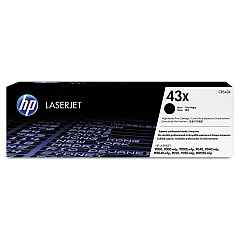
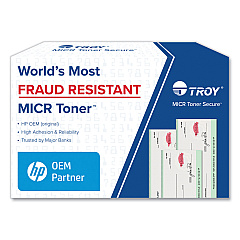
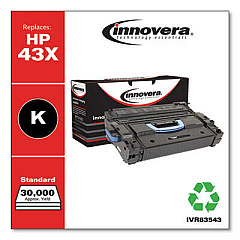
HP LaserJet M9050 DN MFP Black Toner Cartridges

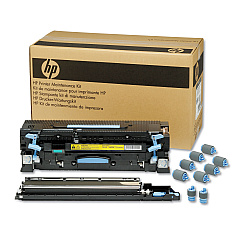
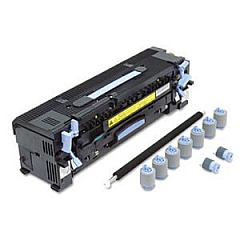
HP LaserJet M9050 DN MFP Maintenance Kits

Ensure peak performance from your HP LaserJet M9050 DN MFP with genuine HP LaserJet M9050 DN MFP Toner Cartridges. These high-quality supplies are designed to deliver exceptional print quality and reliability for your busy office environment. The HP C8543X Black Toner Cartridge offers a generous yield of up to 30,000 pages, minimizing interruptions and maximizing productivity. For optimal printer maintenance, the HP C9152A Maintenance Kit includes essential components to keep your device running smoothly. By choosing authentic HP supplies, you'll experience consistent, professional-grade output for all your printing needs. Whether you're producing important business documents, reports, or marketing materials, these toner cartridges ensure crisp text and sharp images. Invest in the best for your HP LaserJet M9050 DN MFP and enjoy superior results with every print job.

HP LaserJet M9050 DN MFP Toner Cartridges FAQs

  • What is the page yield of the HP C8543X Black Toner Cartridge?

    The HP C8543X Black Toner Cartridge has a page yield of up to 30,000 pages.

  • Is the HP C9152A Maintenance Kit necessary for my printer?

    Yes, the HP C9152A Maintenance Kit is essential for maintaining optimal performance and extending the life of your HP LaserJet M9050 DN MFP.

  • Are these toner cartridges compatible with other HP LaserJet models?

    These toner cartridges are specifically designed for the HP LaserJet M9050 DN MFP. Always check your printer's compatibility before purchasing supplies.

  • How often should I replace the toner cartridge?

    Replace the toner cartridge when print quality diminishes or when the printer indicates low toner levels. This varies based on usage and print density.

  • Can I use third-party toner cartridges in my HP LaserJet M9050 DN MFP?

    While third-party cartridges may work, using genuine HP toner cartridges ensures the best print quality and printer performance, and maintains your warranty.

  • What's included in the HP C9152A Maintenance Kit?

    The HP C9152A Maintenance Kit typically includes a fuser, transfer roller, and pick-up rollers to maintain your printer's performance.

  • How do I install the new toner cartridge?

    Open the printer's front cover, remove the old cartridge, and insert the new one until it clicks into place. Refer to your printer's manual for detailed instructions.

  • Are these toner cartridges environmentally friendly?

    HP offers a recycling program for used toner cartridges, promoting environmental sustainability. Check HP's website for details on their recycling initiatives.

  • What should I do if I experience print quality issues?

    First, ensure you're using genuine HP toner cartridges. If issues persist, try cleaning the printer or replacing the maintenance kit. Consult your printer's troubleshooting guide for further assistance.

  • How long can I store unused toner cartridges?

    Unopened toner cartridges can typically be stored for up to two years. Store them in a cool, dry place away from direct sunlight for best results.

Warehouse Locations

Policy & Agreement | Copyright © 1995-2026 BlueDogInk.com
