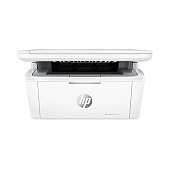
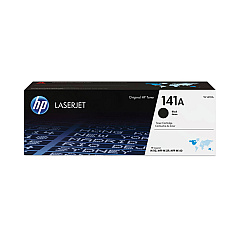





HP LaserJet M140w Black Toner Cartridges

Ensure optimal performance for your compact laser printer with genuine HP LaserJet M140w Toner Cartridges. These high-quality cartridges are specifically designed for the HP LaserJet M140w, delivering crisp, professional-grade black text and graphics. The HP 141A Black Toner Cartridge (W1410A) offers reliable, consistent output for all your printing needs. Whether you're printing important business documents, school assignments, or healthcare records, these toner cartridges provide exceptional clarity and longevity. With easy installation and minimal maintenance required, you can focus on your work without interruption. Choose authentic HP toner cartridges to maximize your printer's efficiency and protect your investment. Experience the perfect balance of affordability and quality with HP LaserJet M140w Toner Cartridges, ensuring your prints make a lasting impression every time.

HP LaserJet M140w Toner Cartridges FAQs

  • What is the page yield of the HP 141A Black Toner Cartridge?

    The HP 141A Black Toner Cartridge (W1410A) typically yields approximately 950 pages.

  • Are these toner cartridges compatible with other HP LaserJet models?

    The HP 141A Black Toner Cartridge is specifically designed for the HP LaserJet M140w and may not be compatible with other models.

  • How long do HP LaserJet M140w Toner Cartridges typically last?

    The lifespan of the toner cartridge depends on usage, but under normal printing conditions, it can last several months to a year.

  • Can I use third-party toner cartridges in my HP LaserJet M140w?

    While third-party cartridges may work, using genuine HP toner cartridges ensures optimal print quality and protects your printer's warranty.

  • How do I install the HP 141A Black Toner Cartridge in my LaserJet M140w?

    To install, open the printer's front cover, remove the old cartridge, and insert the new one until it clicks into place. Close the cover to complete installation.

  • Are HP LaserJet M140w Toner Cartridges environmentally friendly?

    Yes, HP offers a recycling program for used toner cartridges, helping to reduce environmental impact.

  • How can I tell if my toner cartridge is running low?

    Your printer will display a low toner warning on its control panel or through the printer software on your computer.

  • Can I shake the toner cartridge to extend its life?

    Gently shaking the cartridge can temporarily redistribute toner and extend its life slightly, but it's not a long-term solution.

  • What should I do if my prints are coming out faded or streaky?

    First, try removing and gently shaking the cartridge. If the issue persists, the cartridge may need replacement.

  • Does using genuine HP toner cartridges affect my printer's warranty?

    Using genuine HP toner cartridges helps maintain your printer's warranty, while using third-party cartridges may void it.

Warehouse Locations

Policy & Agreement | Copyright © 1995-2026 BlueDogInk.com
