




Ads

HP LaserJet Enterprise 500 MFP M525 f Black Toner Cartridges

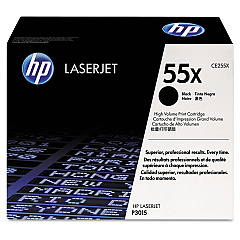
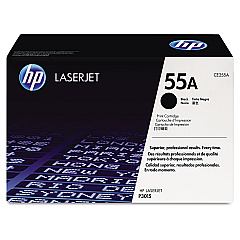
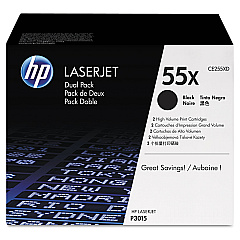
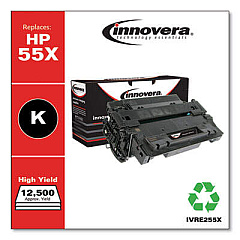
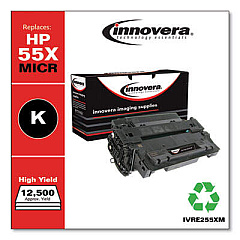
Enhance your printing efficiency with genuine HP LaserJet Enterprise 500 MFP M525 f Toner Cartridges. These high-quality cartridges are designed to deliver exceptional print quality and reliability for your business needs. Choose from the standard-yield HP CE255A Black Toner Cartridge for everyday printing, or opt for the high-yield HP CE255X Black Toner Cartridge for increased productivity and cost-effectiveness. For even greater savings, consider the HP CE255XD Black Cartridge Dual Pack, which provides two high-yield cartridges in one convenient package. These toner cartridges are specifically engineered to work seamlessly with your HP LaserJet Enterprise 500 MFP M525 f printer, ensuring crisp text, sharp graphics, and consistent performance. With genuine HP toner, you can trust that your documents will make a lasting impression while maintaining the longevity of your printer.

HP LaserJet Enterprise 500 MFP M525 f Toner Cartridges FAQs

  • What is the page yield for the HP CE255A Black Toner Cartridge?

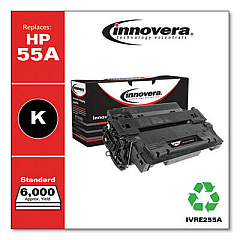
    The HP CE255A Black Toner Cartridge has an approximate page yield of 6,000 pages.

  • How many pages can the HP CE255X Black Toner Cartridge print?

    The HP CE255X Black Toner Cartridge has an approximate page yield of 12,500 pages.

  • Is the HP CE255XD Black Cartridge Dual Pack more cost-effective?

    Yes, the HP CE255XD Black Cartridge Dual Pack is more cost-effective as it provides two high-yield cartridges at a lower price than purchasing them separately.

  • Are these toner cartridges compatible with other HP printers?

    These toner cartridges are specifically designed for the HP LaserJet Enterprise 500 MFP M525 f and may not be compatible with other printer models.

  • How long do these toner cartridges typically last?

    The lifespan of the toner cartridges depends on your printing volume and habits. Under normal use, they can last several months to a year.

  • Can I use third-party toner cartridges instead of genuine HP cartridges?

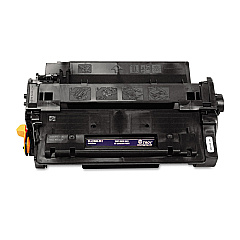
    While third-party cartridges may be available, using genuine HP toner cartridges ensures optimal print quality and printer performance, and maintains your printer's warranty.

  • How do I install a new toner cartridge in my HP LaserJet Enterprise 500 MFP M525 f?

    To install a new cartridge, open the front cover, remove the old cartridge, unpack the new one, and insert it into the printer until it clicks into place. Then close the front cover.

  • What should I do with my used toner cartridges?

    HP offers a free recycling program for used toner cartridges. You can return them to HP or participating retailers for environmentally responsible recycling.

  • How can I tell if my toner cartridge is running low?

    Your printer will display a low toner warning on its control panel. You can also check the toner levels through the printer software on your computer.

  • Are these toner cartridges covered by a warranty?

    Yes, genuine HP toner cartridges come with a warranty that covers defects in materials and workmanship for the life of the cartridge.

Warehouse Locations

Policy & Agreement | Copyright © 1995-2026 BlueDogInk.com
