







Ads

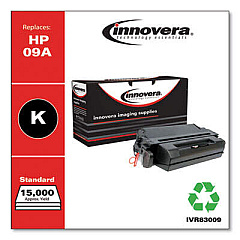
HP LaserJet 5si mx Black Toner Cartridges

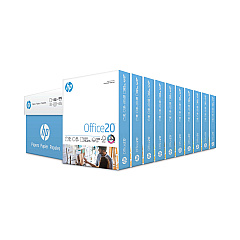
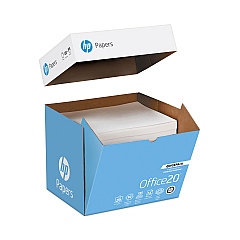
HP LaserJet 5si mx Copy Paper

Ensure uninterrupted, high-quality printing with HP LaserJet 5si mx Toner Cartridges. These reliable cartridges are designed specifically for the HP LaserJet 5si mx printer, delivering crisp, professional-grade text and graphics. For a cost-effective alternative, consider the Innovera Remanufactured Black Toner, a replacement for the 09A (C3909A) cartridge. This eco-friendly option offers comparable print quality and yield to the original HP cartridge, while helping reduce environmental impact. Whether you're printing important business documents, educational materials, or healthcare records, these toner cartridges provide consistent, smudge-free results. With their high page yield and durability, HP LaserJet 5si mx Toner Cartridges are an excellent choice for busy offices, schools, government agencies, and healthcare facilities that demand reliable, high-volume printing solutions.

HP LaserJet 5si mx Toner Cartridges FAQs

  • What is the page yield of the HP LaserJet 5si mx Toner Cartridge?

    The standard HP LaserJet 5si mx Toner Cartridge (09A) has a yield of approximately 15,000 pages.

  • Is the Innovera Remanufactured Black Toner compatible with the HP LaserJet 5si mx?

    Yes, the Innovera Remanufactured Black Toner is designed to be fully compatible with the HP LaserJet 5si mx printer.

  • How does the print quality of the remanufactured cartridge compare to the original HP cartridge?

    The Innovera Remanufactured Black Toner is designed to provide comparable print quality to the original HP cartridge.

  • Are these toner cartridges environmentally friendly?

    The Innovera Remanufactured Black Toner is an eco-friendly option as it reuses cartridge components, reducing waste.

  • How long can I store unused toner cartridges?

    Unopened toner cartridges can typically be stored for up to two years without significant degradation in quality.

  • Can I use these cartridges in other HP LaserJet models?

    The HP LaserJet 5si mx Toner Cartridges are specifically designed for the 5si mx model and may not be compatible with other HP LaserJet printers.

  • How do I install the toner cartridge in my HP LaserJet 5si mx?

    To install, open the printer's front cover, remove the old cartridge, and insert the new one until it clicks into place. Close the cover to complete installation.

  • What should I do with my used toner cartridges?

    You can recycle used toner cartridges through HP's Planet Partners program or local recycling centers that accept electronic waste.

  • How can I tell if my toner cartridge is running low?

    The HP LaserJet 5si mx printer typically displays a low toner warning on its control panel when the cartridge is nearing the end of its life.

  • Are these toner cartridges covered by a warranty?

    Original HP toner cartridges come with a standard warranty. Innovera Remanufactured cartridges typically offer a satisfaction guarantee or limited warranty.

Warehouse Locations

Policy & Agreement | Copyright © 1995-2026 BlueDogInk.com
