




Ads

HP LaserJet 5200 Series Black Toner Cartridges

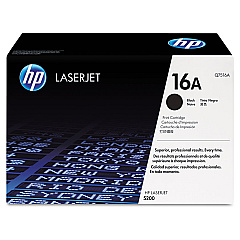
Enhance your printing experience with genuine HP LaserJet 5200 Series Toner Cartridges. These high-quality cartridges, including the HP Q7516A Black Toner Cartridge, are designed to deliver exceptional results for businesses, educational institutions, government offices, healthcare facilities, and wholesale operations. Engineered to work seamlessly with your HP LaserJet 5200 Series printer, these toner cartridges produce crisp, professional-quality documents with sharp text and clear graphics. With a focus on reliability and efficiency, HP LaserJet 5200 Series Toner Cartridges offer consistent performance and long-lasting output, reducing the need for frequent replacements. Whether you're printing reports, presentations, or marketing materials, these cartridges ensure your documents make a lasting impression. Choose HP LaserJet 5200 Series Toner Cartridges for superior print quality, reduced downtime, and optimal productivity in your demanding work environment.

HP LaserJet 5200 Series Toner Cartridges FAQs

  • What is the page yield of the HP Q7516A Black Toner Cartridge?

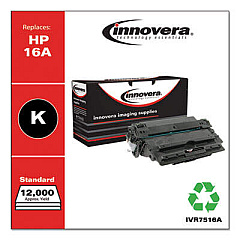
    The HP Q7516A Black Toner Cartridge has an approximate page yield of 12,000 pages at 5% coverage.

  • Are these toner cartridges compatible with all HP LaserJet 5200 Series printers?

    Yes, these toner cartridges are designed to be compatible with all HP LaserJet 5200 Series printers.

  • How long do HP LaserJet 5200 Series Toner Cartridges typically last?

    The lifespan of the cartridge depends on usage, but with normal printing, it can last several months to a year.

  • Are these genuine HP toner cartridges?

    Yes, these are genuine HP toner cartridges, ensuring optimal performance and print quality.

  • Can I recycle the used toner cartridges?

    Yes, HP offers a recycling program for used toner cartridges. Check their website for details on how to participate.

  • Do these cartridges come with a warranty?

    Yes, genuine HP toner cartridges typically come with a warranty. Check the packaging or HP's website for specific warranty information.

  • How do I install the toner cartridge in my HP LaserJet 5200 Series printer?

    Installation is simple. Open the printer's front cover, remove the old cartridge, and insert the new one until it clicks into place. Detailed instructions are included with the cartridge.

  • Can I use third-party or refilled cartridges instead of genuine HP cartridges?

    While you can use third-party cartridges, HP recommends using genuine HP toner cartridges for optimal print quality and to avoid potential damage to your printer.

  • How can I tell if my toner cartridge is running low?

    Your printer will typically display a low toner warning. You may also notice a gradual decrease in print quality.

  • Are these toner cartridges available in colors other than black?

    The HP LaserJet 5200 Series is a monochrome printer, so only black toner cartridges are available for this model.

Warehouse Locations

Policy & Agreement | Copyright © 1995-2026 BlueDogInk.com
