








Ads

HP LaserJet 2100 Black Toner Cartridges

HP LaserJet 2100 Printer Parts

HP LaserJet 2100 Copy Paper

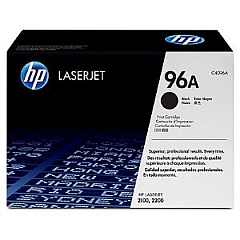
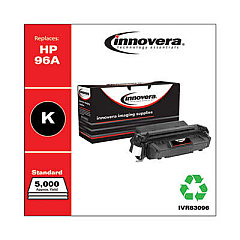
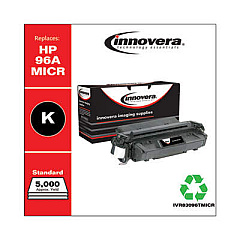
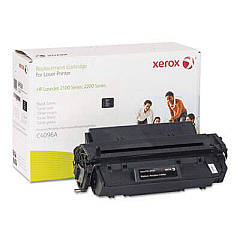
Ensure uninterrupted printing with genuine HP LaserJet 2100 Toner Cartridges and supplies. The HP C4096A Black Toner Cartridge delivers crisp, professional-quality text and graphics for your business documents, educational materials, or healthcare records. With a high yield of up to 5,000 pages, this cartridge offers excellent value for high-volume printing environments. For smooth paper handling, the HP RB2-6349 Separation Pad for 250-Sheet Paper Tray is essential, preventing multi-feeds and paper jams. These authentic HP supplies are designed specifically for the LaserJet 2100 series, guaranteeing optimal performance and reliability. By choosing original HP products, you'll maximize your printer's lifespan and maintain consistent print quality. Whether you're in a corporate office, school, government agency, or healthcare facility, these HP LaserJet 2100 Toner Cartridges and supplies will keep your printing operations running efficiently.

HP LaserJet 2100 Toner Cartridges FAQs

  • What is the page yield of the HP C4096A Black Toner Cartridge?

    The HP C4096A Black Toner Cartridge has a yield of up to 5,000 pages.

  • Are these toner cartridges compatible with all HP LaserJet 2100 models?

    Yes, these toner cartridges are compatible with all HP LaserJet 2100 series printers.

  • What is the purpose of the HP RB2-6349 Separation Pad?

    The HP RB2-6349 Separation Pad is designed to prevent multi-feeds and paper jams in the 250-Sheet Paper Tray.

  • Are these genuine HP supplies?

    Yes, these are authentic HP supplies specifically designed for the LaserJet 2100 series.

  • How often should I replace the separation pad?

    The separation pad should be replaced when you notice frequent paper jams or multi-feeds, typically after processing 50,000 to 100,000 pages.

  • Can I use third-party toner cartridges in my HP LaserJet 2100?

    While third-party cartridges may work, using genuine HP toner cartridges ensures optimal print quality and printer performance.

  • How do I install the HP C4096A toner cartridge?

    To install, open the printer's front cover, remove the old cartridge, unpack the new one, and insert it into the printer until it clicks into place.

  • What should I do with my used toner cartridges?

    HP offers a free recycling program for used toner cartridges. Visit their website or check with your local office supply store for recycling options.

  • How long can I store unused toner cartridges?

    Unopened toner cartridges can be stored for up to two years in a cool, dry place away from direct sunlight.

  • Is the HP C4096A toner cartridge eligible for HP Instant Ink?

    No, the HP Instant Ink program is only available for select inkjet printers, not for LaserJet models like the 2100 series.

Warehouse Locations

Policy & Agreement | Copyright © 1995-2026 BlueDogInk.com
