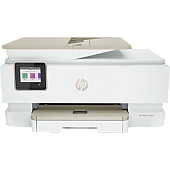
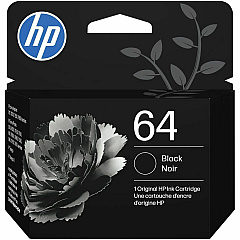
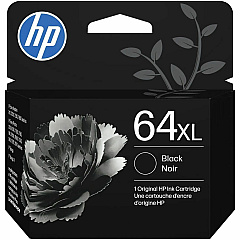
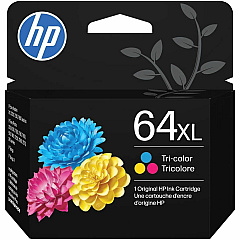
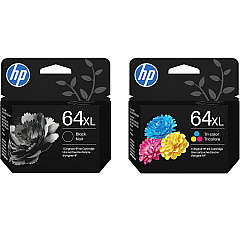
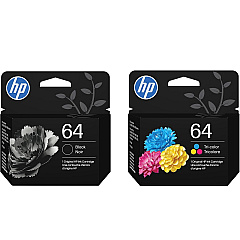





HP ENVY Inspire 7955e Black Ink Cartridges

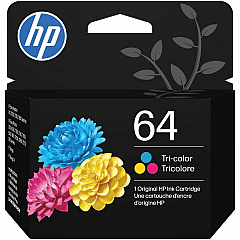
HP ENVY Inspire 7955e Color Ink Cartridges

Ensure optimal performance for your HP ENVY Inspire 7955e printer with genuine HP ENVY Inspire 7955e Ink Cartridges. These high-quality cartridges are designed to deliver crisp text and vibrant color prints for all your business, educational, or healthcare needs. Choose from a range of options including the HP N9J89AN Color Ink Cartridge, HP N9J90AN Black Ink Cartridge, HP N9J91AN Color Ink Cartridge, and HP N9J92AN Black Ink Cartridge. Each cartridge is engineered to work seamlessly with your printer, providing consistent, professional-quality results page after page. Whether you're printing important documents, presentations, or marketing materials, these ink cartridges ensure your prints make a lasting impression. Trust in the reliability and superior print quality of genuine HP ink cartridges to keep your ENVY Inspire 7955e running smoothly and efficiently.

HP ENVY Inspire 7955e Ink Cartridges FAQs

  • What ink cartridges are compatible with the HP ENVY Inspire 7955e printer?

    The HP ENVY Inspire 7955e is compatible with HP N9J89AN Color Ink Cartridge, HP N9J90AN Black Ink Cartridge, HP N9J91AN Color Ink Cartridge, and HP N9J92AN Black Ink Cartridge.

  • How long do HP ENVY Inspire 7955e ink cartridges typically last?

    The lifespan of ink cartridges varies depending on usage, but on average, they can last for several hundred pages. Exact page yield information can be found on the product packaging.

  • Can I use third-party ink cartridges in my HP ENVY Inspire 7955e?

    While third-party cartridges may work, HP recommends using genuine HP ink cartridges for optimal print quality and to ensure warranty coverage.

  • How do I install new ink cartridges in my HP ENVY Inspire 7955e?

    To install new cartridges, open the printer's front cover, wait for the carriage to move to the center, remove the old cartridge, and insert the new one until it clicks into place. Close the cover when finished.

  • Are HP ENVY Inspire 7955e ink cartridges recyclable?

    Yes, HP offers a free recycling program for used ink cartridges. You can return them to HP or participating retailers for environmentally friendly disposal.

  • What's the difference between the N9J89AN and N9J91AN color cartridges?

    The main difference is typically the ink capacity. The N9J91AN is usually a higher capacity cartridge compared to the N9J89AN, offering more prints before needing replacement.

  • Can I use HP Instant Ink with my HP ENVY Inspire 7955e?

    Yes, the HP ENVY Inspire 7955e is compatible with HP Instant Ink, a subscription service that automatically sends you ink when your printer is running low.

  • How can I check the ink levels in my HP ENVY Inspire 7955e?

    You can check ink levels through the printer's control panel, the HP Smart app on your mobile device, or the HP software on your computer.

  • Are these ink cartridges suitable for photo printing?

    Yes, these HP ink cartridges are designed to produce high-quality photo prints when used with appropriate photo paper.

  • What should I do if my printer doesn't recognize the new ink cartridge?

    First, ensure the cartridge is properly installed. If the issue persists, try cleaning the cartridge contacts and reseating the cartridge. If problems continue, contact HP support for assistance.

Warehouse Locations

Policy & Agreement | Copyright © 1995-2026 BlueDogInk.com
