




Ads

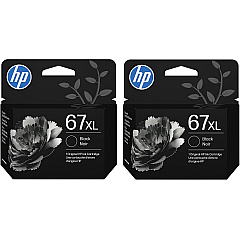
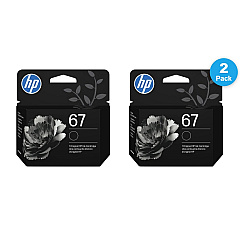
HP ENVY 6052 Black Ink Cartridges

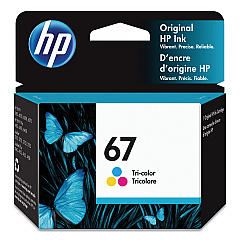
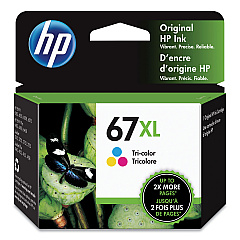
HP ENVY 6052 Color Ink Cartridges

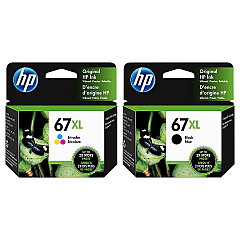
HP ENVY 6052 Ink Set

Keep your HP ENVY 6052 printer running smoothly with genuine HP ENVY 6052 Ink Cartridges. Our selection includes the HP 3YM55AN Tri-Color, HP 3YM56AN Black, HP 3YM57AN Black, and HP 3YM58AN Tri-Color ink cartridges, ensuring vibrant colors and crisp text for all your printing needs. For high-volume printing, consider the HP 67XL Black/Tri-Color High Yield Ink Cartridge 2/Pack, offering extended print capacity and cost savings. These cartridges are designed specifically for your HP ENVY 6052 printer, guaranteeing optimal performance and print quality. Whether you're printing documents for work, school projects, or cherished family photos, these ink cartridges deliver exceptional results. Trust in the reliability and quality of genuine HP ink to bring your ideas to life with stunning clarity and color accuracy.

HP ENVY 6052 Printers Supplies FAQs

  • What ink cartridges are compatible with the HP ENVY 6052 printer?

    The HP ENVY 6052 printer is compatible with HP 3YM55AN, 3YM56AN, 3YM57AN, 3YM58AN, and 67XL ink cartridges.

  • How long do HP ENVY 6052 ink cartridges typically last?

    The lifespan of ink cartridges varies depending on usage, but standard cartridges typically last for 200-300 pages, while high-yield cartridges can print up to 400-500 pages.

  • Can I use third-party ink cartridges in my HP ENVY 6052 printer?

    While third-party cartridges may work, HP recommends using genuine HP ink cartridges for optimal print quality and to maintain your printer's warranty.

  • What's the difference between standard and high-yield ink cartridges?

    High-yield cartridges contain more ink and can print more pages than standard cartridges, making them more cost-effective for high-volume printing.

  • How do I install new ink cartridges in my HP ENVY 6052 printer?

    Open the ink cartridge access door, remove the old cartridge, insert the new cartridge, and close the access door. The printer will automatically align the new cartridge.

  • Can I recycle my used HP ENVY 6052 ink cartridges?

    Yes, HP offers a free recycling program for used ink cartridges. You can return them to participating retailers or request a free shipping label from HP's website.

  • How can I check the ink levels in my HP ENVY 6052 printer?

    You can check ink levels through the printer's control panel, the HP Smart app, or your computer's printer software.

  • Are HP ENVY 6052 ink cartridges available in multipacks?

    Yes, HP offers multipack options, such as the HP 67XL Black/Tri-Color High Yield Ink Cartridge 2/Pack, which can provide cost savings for frequent users.

  • What should I do if my HP ENVY 6052 printer doesn't recognize a new ink cartridge?

    Try removing and reinserting the cartridge, cleaning the cartridge contacts, or running the printer's cleaning utility. If issues persist, contact HP support.

  • Can I use HP Instant Ink with my HP ENVY 6052 printer?

    Yes, the HP ENVY 6052 is compatible with HP Instant Ink, a subscription service that automatically delivers ink when your printer is running low.

Warehouse Locations

Policy & Agreement | Copyright © 1995-2026 BlueDogInk.com
