





Ads

HP ENVY 5020 Black Ink Cartridges

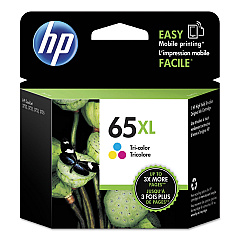
HP ENVY 5020 Color Ink Cartridges

HP ENVY 5020 Copy Paper

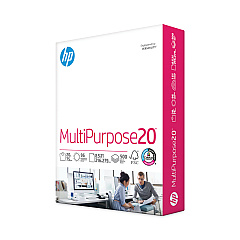
  • HP 112000 Multipurpose Paper

    Item 112000

    HP 112000 Multipurpose Paper

    HPM1120R Multipurpose Ultra White Paper, 96 Brightness, 20lb, 8 1/2 x 11, 500 Sh..

    Status

    In Stock

    $10.09

  • HP 115100 Multipurpose Paper

    Item 115100

    HP 115100 Multipurpose Paper

    HPM115RC Multipurpose Ultra White Paper, 96 Brightness, 20lb, 8-1/2 x 11, 500 sh..

    Status

    In Stock

    $50.99

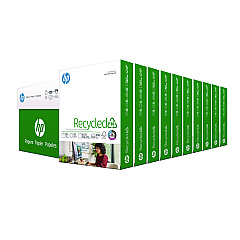
  • HP 112100 Recycled Paper

    Item 112100

    HP 112100 Recycled Paper

    HPE1120C Recycled Paper, 92 Bright, 20lb, 8-1/2 x 11, 500 sheets per ream, 10 re..

    Status

    In Stock

    Free Shipping

    $97.72

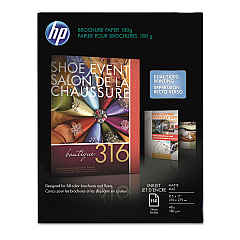
  • HP CH016A Inkjet Brochure Paper

    Item CH016A

    HP CH016A Inkjet Brochure Paper

    Inkjet Brochure/Flyer Paper, 103 Brightness, 48lb, 8-1/2 x 11, White, 150/Pack..

    Status

    In Stock

    $44.30

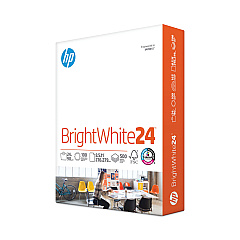
  • HP 203000 Bright White Inkjet Paper

    Item 203000

    HP 203000 Bright White Inkjet Paper

    HPB1124 Bright White Inkjet Paper, 97 Brightness, 24lb, 8-1/2 x 11, 500 Sheets/R..

    Status

    In Stock

    $14.10

HP ENVY 5020 Photo Paper

Keep your HP ENVY 5020 printer running smoothly with our high-quality HP ENVY 5020 Ink Cartridges. Our selection includes the HP N9K01AN Color Ink Cartridge, HP N9K02AN Black Ink Cartridge, HP N9K03AN Color Ink Cartridge, and HP N9K04AN Black Ink Cartridge, ensuring you have the perfect match for your printing needs. These genuine HP cartridges deliver exceptional print quality, vibrant colors, and crisp text for all your documents and photos. Whether you're printing for business, education, or personal use, these cartridges offer reliable performance and long-lasting results. With our competitive prices and fast shipping, you can keep your HP ENVY 5020 printer stocked with the ink it needs to produce professional-quality prints every time. Don't compromise on quality – choose our authentic HP ENVY 5020 Ink Cartridges for optimal performance and stunning results.

HP ENVY 5020 Ink Cartridges FAQs

  • What ink cartridges are compatible with the HP ENVY 5020 printer?

    The HP ENVY 5020 printer is compatible with HP N9K01AN Color Ink Cartridge, HP N9K02AN Black Ink Cartridge, HP N9K03AN Color Ink Cartridge, and HP N9K04AN Black Ink Cartridge.

  • How long do HP ENVY 5020 ink cartridges typically last?

    The lifespan of ink cartridges varies depending on usage, but on average, they can last for 200-300 pages for color cartridges and 300-400 pages for black cartridges.

  • Can I use third-party ink cartridges in my HP ENVY 5020 printer?

    While third-party cartridges may work, using genuine HP ink cartridges is recommended for optimal print quality and to avoid potential damage to your printer.

  • How do I install new ink cartridges in my HP ENVY 5020 printer?

    To install new cartridges, open the ink cartridge access door, remove the old cartridge, insert the new one, and close the access door. The printer will automatically align the new cartridges.

  • Are HP ENVY 5020 ink cartridges refillable?

    HP does not recommend refilling ink cartridges as it may affect print quality and potentially damage the printer. It's best to use new, genuine HP cartridges.

  • How can I check the ink levels in my HP ENVY 5020 printer?

    You can check ink levels through the printer's control panel or by using the HP Smart app on your computer or mobile device.

  • What's the difference between the HP N9K01AN and HP N9K03AN color cartridges?

    The HP N9K01AN is a standard yield cartridge, while the HP N9K03AN is a high yield cartridge that contains more ink and can print more pages.

  • Can I use HP Instant Ink with my HP ENVY 5020 printer?

    Yes, the HP ENVY 5020 printer is compatible with the HP Instant Ink subscription service, which can help you save money on ink.

  • How should I store unused HP ENVY 5020 ink cartridges?

    Store unused cartridges in their original sealed packaging at room temperature, away from direct sunlight and heat sources, to maintain their quality and prevent them from drying out.

  • What should I do if my HP ENVY 5020 printer doesn't recognize a new ink cartridge?

    Try removing and reinserting the cartridge, cleaning the cartridge contacts, or running the printer's cleaning utility. If issues persist, contact HP support for further assistance.

Warehouse Locations

Policy & Agreement | Copyright © 1995-2026 BlueDogInk.com
