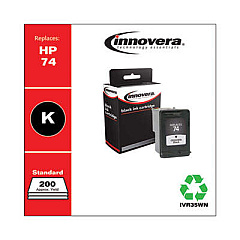
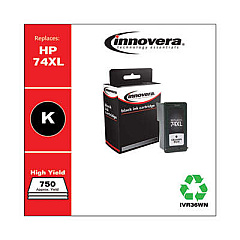
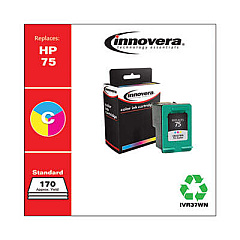
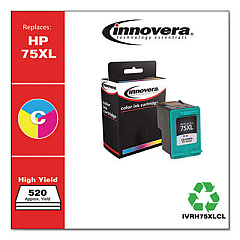





Ads

HP DeskJet D4280 Black Ink Cartridges

HP DeskJet D4280 Color Ink Cartridges

Ensure your HP DeskJet D4280 printer continues to deliver high-quality prints with genuine HP DeskJet D4280 Ink Cartridges. These reliable cartridges are designed specifically for your printer model, guaranteeing optimal performance and crisp, vibrant results. The HP CB335WN Black Ink Cartridge provides sharp text for professional documents, while the HP CB337WN Tricolor Ink Cartridge produces stunning color graphics and photos. These cartridges offer excellent page yield and are easy to install, minimizing downtime and maximizing productivity. Whether you're printing important business reports, school assignments, or cherished family photos, these genuine HP ink cartridges ensure consistent, fade-resistant results. Don't compromise on quality – choose authentic HP DeskJet D4280 Ink Cartridges for reliable, long-lasting performance that meets all your printing needs.

HP DeskJet D4280 Ink Cartridges FAQs

  • How long do HP DeskJet D4280 Ink Cartridges typically last?

    The lifespan of ink cartridges varies depending on usage, but on average, they can last 3-6 months for regular home use.

  • Are compatible or remanufactured cartridges safe to use in my HP DeskJet D4280?

    While they may work, using non-genuine cartridges can potentially damage your printer and void the warranty. It's recommended to use genuine HP cartridges for best results and printer longevity.

  • How can I tell if my ink cartridge is genuine HP?

    Look for the HP logo on the packaging and cartridge, check for a hologram on the security label, and verify the warranty end date on HP's website using the cartridge's serial number.

  • What's the difference between the black and tricolor cartridges?

    The black cartridge (CB335WN) contains only black ink for text and monochrome printing, while the tricolor cartridge (CB337WN) contains cyan, magenta, and yellow inks for color printing.

  • Can I use my HP DeskJet D4280 if one cartridge is empty?

    The printer may still function with one empty cartridge, but print quality may be affected. It's best to replace empty cartridges promptly for optimal performance.

  • How do I properly store unused ink cartridges?

    Store cartridges in their original sealed packaging at room temperature, away from direct sunlight and heat sources. Keep them in an upright position to prevent ink leakage.

  • What should I do if my printer doesn't recognize the new cartridge?

    Try removing and reinserting the cartridge, cleaning the cartridge contacts, and ensuring it's properly seated. If issues persist, consult your printer manual or contact HP support.

  • How often should I replace my ink cartridges?

    Replace cartridges when print quality diminishes or when your printer indicates low ink levels. This varies based on usage but typically occurs every 3-6 months for average users.

  • Can I refill my HP DeskJet D4280 Ink Cartridges?

    While refilling is possible, it's not recommended as it can lead to poor print quality, potential printer damage, and may void your warranty. Using genuine HP cartridges ensures the best results.

  • What's the page yield for HP DeskJet D4280 Ink Cartridges?

    Page yield varies depending on what you print, but typically the CB335WN black cartridge yields about 200 pages, while the CB337WN tricolor cartridge yields approximately 170 pages.

Warehouse Locations

Policy & Agreement | Copyright © 1995-2026 BlueDogInk.com
