






Ads

HP DeskJet 850c Black Ink Cartridges

HP DeskJet 850c Copy Paper

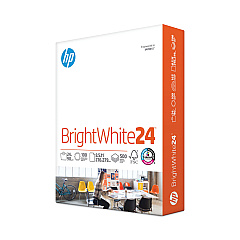
  • HP 203000 Bright White Inkjet Paper

    Item 203000

    HP 203000 Bright White Inkjet Paper

    HPB1124 Bright White Inkjet Paper, 97 Brightness, 24lb, 8-1/2 x 11, 500 Sheets/R..

    Status

    In Stock

    $14.10

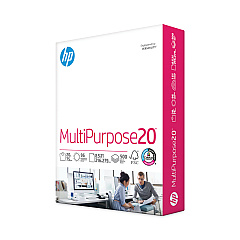
  • HP 112000 Multipurpose Paper

    Item 112000

    HP 112000 Multipurpose Paper

    HPM1120R Multipurpose Ultra White Paper, 96 Brightness, 20lb, 8 1/2 x 11, 500 Sh..

    Status

    In Stock

    $10.09

  • HP 115100 Multipurpose Paper

    Item 115100

    HP 115100 Multipurpose Paper

    HPM115RC Multipurpose Ultra White Paper, 96 Brightness, 20lb, 8-1/2 x 11, 500 sh..

    Status

    In Stock

    $50.99

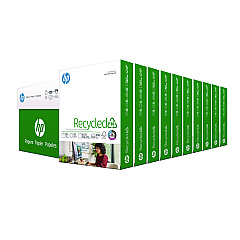
  • HP 112100 Recycled Paper

    Item 112100

    HP 112100 Recycled Paper

    HPE1120C Recycled Paper, 92 Bright, 20lb, 8-1/2 x 11, 500 sheets per ream, 10 re..

    Status

    In Stock

    Free Shipping

    $97.72

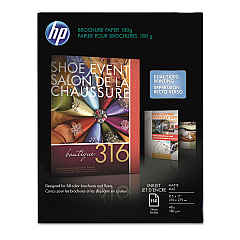
  • HP CH016A Inkjet Brochure Paper

    Item CH016A

    HP CH016A Inkjet Brochure Paper

    Inkjet Brochure/Flyer Paper, 103 Brightness, 48lb, 8-1/2 x 11, White, 150/Pack..

    Status

    In Stock

    $44.30

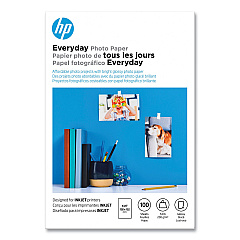
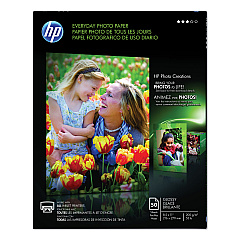
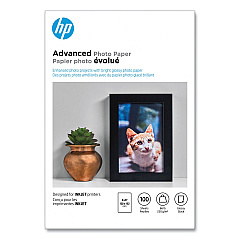
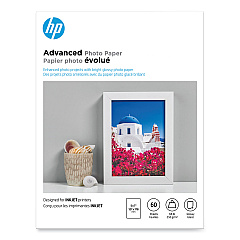
HP DeskJet 850c Photo Paper

Ensure your HP DeskJet 850c printer continues to deliver high-quality prints with genuine HP DeskJet 850c Ink Cartridges. The HP 45 Black Ink Cartridge (51645A) is specifically designed for optimal performance in your 850c printer, providing crisp, clear text and sharp graphics. These cartridges offer reliable, smudge-resistant results for all your printing needs, whether you're producing important business documents or creative projects. With a generous page yield, you'll enjoy fewer interruptions and more cost-effective printing. Trust in the consistency and durability of HP's original ink formulation to protect your printer and maintain its longevity. Don't compromise on quality – choose authentic HP DeskJet 850c Ink Cartridges for professional-grade results every time you print.

HP DeskJet 850c Ink Cartridges FAQs

  • How long does an HP 45 Black Ink Cartridge typically last?

    The HP 45 Black Ink Cartridge typically yields around 930 pages, depending on print density and usage patterns.

  • Can I use compatible or remanufactured cartridges in my HP DeskJet 850c?

    While compatible cartridges may work, HP recommends using genuine HP cartridges for optimal print quality and to protect your printer's warranty.

  • How do I install the HP 45 Black Ink Cartridge in my DeskJet 850c?

    Open the printer's top cover, remove the old cartridge, insert the new HP 45 cartridge, and close the cover. The printer will automatically align the new cartridge.

  • Is the HP 45 Black Ink Cartridge compatible with other HP printer models?

    Yes, the HP 45 cartridge is compatible with several other HP printer models. Check your printer's manual or HP's website for a full list of compatible printers.

  • How can I tell if my HP 45 cartridge is running low on ink?

    Your printer software will typically alert you when ink levels are low. You can also check ink levels through the printer's control panel or by printing a test page.

  • What should I do if my prints are coming out faded or streaky?

    First, try cleaning the print heads using your printer's maintenance function. If the problem persists, you may need to replace the ink cartridge.

  • Can I recycle my used HP 45 ink cartridges?

    Yes, HP offers a free recycling program for used ink cartridges. You can return them to participating retailers or request a free shipping label from HP's website.

  • How should I store unused HP DeskJet 850c Ink Cartridges?

    Store cartridges in their original sealed packaging at room temperature. Avoid extreme temperatures and direct sunlight to maintain ink quality.

  • Does the HP 45 Black Ink Cartridge come with a warranty?

    Yes, HP typically provides a warranty for their ink cartridges. Check the packaging or HP's website for specific warranty details.

  • Can I refill my HP 45 Black Ink Cartridge instead of buying a new one?

    While refilling is possible, it's not recommended by HP as it may affect print quality and potentially damage your printer. It may also void your printer's warranty.

Warehouse Locations

Policy & Agreement | Copyright © 1995-2026 BlueDogInk.com
