






Ads

HP DeskJet 820cse Black Ink Cartridges

HP DeskJet 820cse Copy Paper

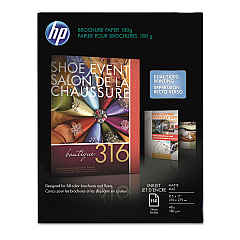
  • HP CH016A Inkjet Brochure Paper

    Item CH016A

    HP CH016A Inkjet Brochure Paper

    Inkjet Brochure/Flyer Paper, 103 Brightness, 48lb, 8-1/2 x 11, White, 150/Pack..

    Status

    In Stock

    $44.30

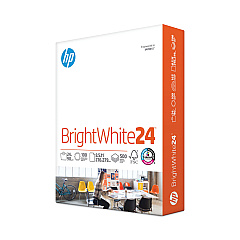
  • HP 203000 Bright White Inkjet Paper

    Item 203000

    HP 203000 Bright White Inkjet Paper

    HPB1124 Bright White Inkjet Paper, 97 Brightness, 24lb, 8-1/2 x 11, 500 Sheets/R..

    Status

    In Stock

    $14.10

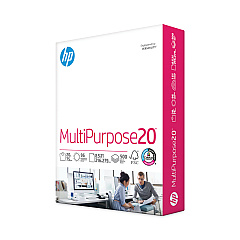
  • HP 112000 Multipurpose Paper

    Item 112000

    HP 112000 Multipurpose Paper

    HPM1120R Multipurpose Ultra White Paper, 96 Brightness, 20lb, 8 1/2 x 11, 500 Sh..

    Status

    In Stock

    $10.09

  • HP 115100 Multipurpose Paper

    Item 115100

    HP 115100 Multipurpose Paper

    HPM115RC Multipurpose Ultra White Paper, 96 Brightness, 20lb, 8-1/2 x 11, 500 sh..

    Status

    In Stock

    $50.99

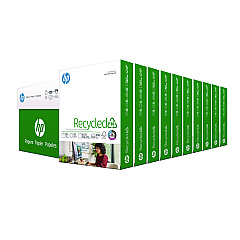
  • HP 112100 Recycled Paper

    Item 112100

    HP 112100 Recycled Paper

    HPE1120C Recycled Paper, 92 Bright, 20lb, 8-1/2 x 11, 500 sheets per ream, 10 re..

    Status

    In Stock

    Free Shipping

    $97.72

HP DeskJet 820cse Photo Paper

Ensure your HP DeskJet 820cse printer continues to deliver high-quality prints with our genuine HP DeskJet 820cse Ink Cartridges. These cartridges are specifically designed for optimal performance in your printer, providing crisp text and vibrant graphics. The HP 45 Black Ink Cartridge (51645A) is the perfect choice for your 820cse, offering reliable, smudge-resistant prints that dry quickly. With its high-capacity design, you'll enjoy longer print runs and fewer cartridge changes. Our ink cartridges are backed by HP's reputation for quality and innovation, ensuring compatibility and consistent results. Whether you're printing important business documents or creative projects, these cartridges will help you achieve professional-looking output every time. Don't compromise on quality – choose genuine HP ink cartridges for your DeskJet 820cse and experience the difference in your prints.

HP DeskJet 820cse Ink Cartridges FAQs

  • How long does an HP 45 Black Ink Cartridge typically last?

    The HP 45 Black Ink Cartridge typically yields about 930 pages, but this can vary depending on print density and frequency of use.

  • Are remanufactured ink cartridges compatible with the HP DeskJet 820cse?

    While remanufactured cartridges may work, HP recommends using genuine HP ink cartridges for optimal performance and print quality.

  • How can I tell if my HP 45 ink cartridge is genuine?

    Look for the HP hologram on the packaging and check the expiration date. You can also verify the cartridge's authenticity on HP's official website.

  • What should I do if my printer doesn't recognize the new ink cartridge?

    Try removing and reinserting the cartridge, cleaning the contacts, or running the printer's alignment process. If issues persist, contact HP support.

  • Can I use HP 45 ink cartridges in other HP printer models?

    The HP 45 ink cartridge is compatible with several HP printer models, but always check your printer's manual or HP's website for specific compatibility information.

  • How should I store unused ink cartridges?

    Store cartridges in their original sealed packaging at room temperature, away from direct sunlight and heat sources, to maintain their quality and shelf life.

  • What's the shelf life of an unopened HP 45 ink cartridge?

    Unopened HP ink cartridges typically have a shelf life of 24 months from the date of manufacture when stored properly.

  • How can I improve ink efficiency in my HP DeskJet 820cse?

    Use draft mode for non-critical prints, maintain your printer regularly, and avoid leaving the printer idle for long periods to prevent ink from drying out.

  • Is it normal for my HP DeskJet 820cse to clean the printhead automatically?

    Yes, automatic printhead cleaning is a normal function that helps maintain print quality, though it does use some ink in the process.

  • Can I refill my HP 45 ink cartridge instead of buying a new one?

    While refilling is possible, HP doesn't recommend it as it may lead to poor print quality, potential printer damage, and could void your printer's warranty.

Warehouse Locations

Policy & Agreement | Copyright © 1995-2026 BlueDogInk.com
