




Ads

HP DeskJet 670 C Black Ink Cartridges

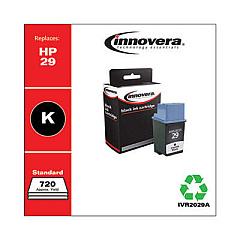
Ensure your HP DeskJet 670 C printer continues to deliver high-quality prints with our selection of HP DeskJet 670 C Ink Cartridges. These reliable cartridges are designed to provide crisp text and vibrant colors for all your printing needs. Our range includes the Innovera Remanufactured Black Ink, which serves as an excellent replacement for the original 29 (51629A) cartridge. This cost-effective alternative offers the same quality and page yield as the OEM product, making it an ideal choice for budget-conscious users. Whether you're printing important documents for work, school projects, or colorful graphics, these ink cartridges will help you achieve professional results every time. Don't let low ink levels slow you down – stock up on HP DeskJet 670 C Ink Cartridges today and keep your printer running smoothly for all your printing tasks.

HP DeskJet 670 C Ink Cartridges FAQs

  • Are these ink cartridges compatible with the HP DeskJet 670 C printer?

    Yes, these ink cartridges are specifically designed for use with the HP DeskJet 670 C printer.

  • What is the difference between OEM and remanufactured ink cartridges?

    OEM cartridges are made by the original manufacturer, while remanufactured cartridges are recycled and refilled by third-party companies. Remanufactured cartridges often offer similar quality at a lower price.

  • How many pages can I print with one cartridge?

    The page yield varies depending on the specific cartridge and your printing habits. On average, a black ink cartridge can print around 650 pages.

  • Are these cartridges covered by a warranty?

    Yes, our ink cartridges come with a satisfaction guarantee. If you experience any issues, please contact our customer service for assistance.

  • How long do these ink cartridges last?

    Unopened ink cartridges typically have a shelf life of 24 months. Once installed, it's best to use them within 6 months for optimal performance.

  • Can I use third-party ink cartridges without voiding my printer warranty?

    Using third-party ink cartridges does not void your printer warranty, as long as they don't cause damage to the printer.

  • How do I install these ink cartridges?

    Installation is simple. Open your printer's ink cartridge access door, remove the old cartridge, and insert the new one until it clicks into place.

  • Are these cartridges environmentally friendly?

    Remanufactured cartridges are more environmentally friendly as they reuse existing cartridge shells, reducing waste in landfills.

  • What should I do if my printer doesn't recognize the new cartridge?

    Try removing and reinserting the cartridge. If the issue persists, clean the cartridge contacts and try again. If problems continue, contact our customer support.

  • Can I mix OEM and remanufactured cartridges in my printer?

    Yes, you can use a combination of OEM and remanufactured cartridges in your HP DeskJet 670 C printer without any issues.

Warehouse Locations

Policy & Agreement | Copyright © 1995-2026 BlueDogInk.com
