




Ads

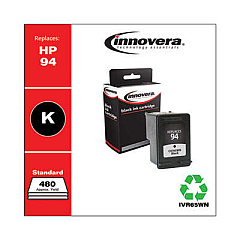
HP DeskJet 5748 Black Ink Cartridges

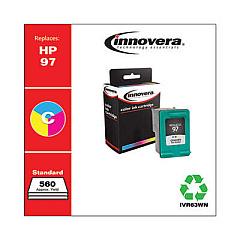
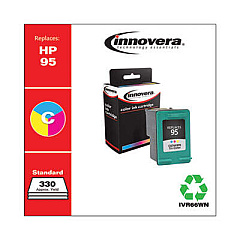
HP DeskJet 5748 Color Ink Cartridges

Ensure your HP DeskJet 5748 printer continues to deliver high-quality prints with genuine HP DeskJet 5748 Ink Cartridges. These reliable cartridges are designed specifically for your printer model, guaranteeing optimal performance and crisp, vibrant results. Choose from the HP C8765WN Black Ink Cartridge for sharp text and grayscale images, or the HP C8766WN and HP C9363WN Tricolor Ink Cartridges for stunning color prints. Whether you're printing important documents for your business, educational materials for your classroom, or critical patient information in healthcare settings, these cartridges provide consistent, professional-quality output. With long-lasting ink formulations, you'll enjoy fewer cartridge changes and reduced printing costs. Trust in the superior quality of genuine HP ink cartridges to keep your DeskJet 5748 running smoothly and efficiently, meeting all your printing needs with ease.

HP DeskJet 5748 Ink Cartridges FAQs

  • How often should I replace my HP DeskJet 5748 Ink Cartridges?

    Replacement frequency depends on usage, but typically when print quality noticeably decreases or when the printer indicates low ink levels.

  • Can I use non-HP ink cartridges in my DeskJet 5748?

    While third-party cartridges may work, HP recommends using genuine HP cartridges for optimal print quality and printer performance.

  • What's the difference between the HP C8766WN and HP C9363WN Tricolor Ink Cartridges?

    The C9363WN typically has a higher page yield and may be more suitable for users with higher volume printing needs.

  • How do I install new ink cartridges in my HP DeskJet 5748?

    Open the printer's front cover, wait for the cartridge carrier to move to the center, remove the old cartridge, insert the new one, and close the cover.

  • Are HP DeskJet 5748 Ink Cartridges recyclable?

    Yes, HP offers a free recycling program for used ink cartridges through their HP Planet Partners initiative.

  • How long do unopened HP ink cartridges last?

    Unopened HP ink cartridges typically last up to 24 months from the date of manufacture when stored properly.

  • Can I refill my HP DeskJet 5748 Ink Cartridges?

    While refilling is possible, it's not recommended as it may compromise print quality and potentially damage your printer.

  • What should I do if my printer doesn't recognize the new ink cartridge?

    Try removing and reinserting the cartridge, cleaning the contacts, or updating your printer's firmware.

  • How many pages can I print with one HP DeskJet 5748 Ink Cartridge?

    Page yield varies depending on the specific cartridge and print content, but typically ranges from 200 to 500 pages.

  • Are these ink cartridges compatible with other HP printer models?

    While some HP printers may use the same cartridges, it's best to check your printer's manual or HP's website for specific compatibility information.

Warehouse Locations

Policy & Agreement | Copyright © 1995-2026 BlueDogInk.com
