




Ads

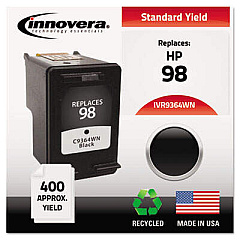
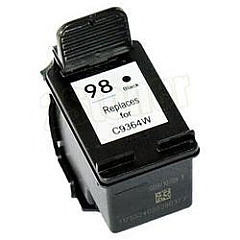
HP DeskJet 4145 Black Ink Cartridges

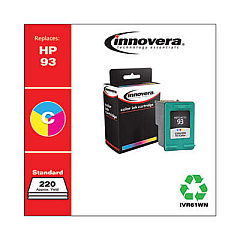
HP DeskJet 4145 Color Ink Cartridges

Ensure your HP DeskJet 4145 printer consistently delivers high-quality prints with genuine HP DeskJet 4145 Ink Cartridges. These reliable cartridges are specifically designed for optimal performance in your printer, producing crisp text and vibrant colors for all your printing needs. The HP C9361WN Tricolor Ink Cartridge combines cyan, magenta, and yellow inks to create stunning color documents and photos, while the HP C9364WN Black Ink Cartridge delivers sharp, professional-looking text. Both cartridges are easy to install and offer long-lasting performance, reducing the frequency of replacements. Whether you're printing important business documents, school projects, or cherished family photos, these genuine HP ink cartridges ensure exceptional results every time. Trust in the quality and reliability of HP DeskJet 4145 Ink Cartridges to keep your printer running smoothly and your prints looking their best.

HP DeskJet 4145 Ink Cartridges FAQs

  • How often should I replace my HP DeskJet 4145 Ink Cartridges?

    Replacement frequency depends on your printing volume. Monitor your printer's ink level indicators and replace cartridges when they run low or print quality diminishes.

  • Are these ink cartridges compatible with other HP printer models?

    The HP C9361WN and C9364WN cartridges are compatible with several HP printer models. Check your printer's manual or HP's website for a complete list of compatible printers.

  • How many pages can I print with these ink cartridges?

    Page yield varies depending on the content being printed. On average, the HP C9364WN Black Ink Cartridge yields about 200 pages, while the HP C9361WN Tricolor Ink Cartridge yields about 170 pages.

  • Can I use third-party or refilled ink cartridges in my HP DeskJet 4145?

    While third-party cartridges may work, HP recommends using genuine HP ink cartridges for optimal print quality and to protect your printer's warranty.

  • How should I store unused ink cartridges?

    Store unused cartridges in their original sealed packaging at room temperature, away from direct sunlight and heat sources, to maintain their quality and prevent them from drying out.

  • What should I do if my printer doesn't recognize the new ink cartridge?

    Try removing and reinserting the cartridge, ensuring it's properly seated. Clean the cartridge contacts and printer carriage contacts with a lint-free cloth. If issues persist, contact HP support.

  • Are these ink cartridges environmentally friendly?

    HP offers a recycling program for used ink cartridges. You can return empty cartridges to HP or participating retailers for proper recycling.

  • How long is the shelf life of unopened HP ink cartridges?

    Unopened HP ink cartridges typically have a shelf life of 24 months from the date of manufacture when stored properly.

  • Can I mix genuine HP ink cartridges with third-party cartridges?

    While it's possible, HP recommends using only genuine HP cartridges to ensure consistent print quality and to avoid potential damage to your printer.

  • What should I do if I experience poor print quality with new cartridges?

    Run a printer head cleaning cycle, align the cartridges, and ensure you're using the correct paper type. If problems persist, the cartridge may be defective and should be replaced.

Warehouse Locations

Policy & Agreement | Copyright © 1995-2026 BlueDogInk.com
