




Ads

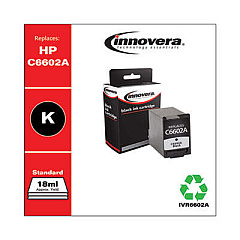
HP DeskJet 3940 v Black Ink Cartridges

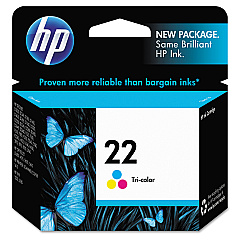
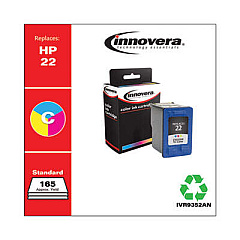
HP DeskJet 3940 v Color Ink Cartridges

Ensure your HP DeskJet 3940 v printer continues to deliver high-quality prints with genuine HP DeskJet 3940 v Ink Cartridges. These reliable cartridges are designed specifically for your printer model, guaranteeing optimal performance and crisp, vibrant results. The HP C9351AN Black Ink Cartridge produces sharp text and clear graphics, while the HP C9352AN Tricolor Ink Cartridge brings your color documents and photos to life with rich, accurate hues. By using authentic HP ink cartridges, you'll maximize your printer's efficiency and extend its lifespan. Whether you're printing important business documents, school assignments, or cherished family photos, these cartridges ensure consistent, professional-quality output. Don't compromise on quality – choose genuine HP DeskJet 3940 v Ink Cartridges for all your printing needs and experience the difference in every page.

HP DeskJet 3940 v Ink Cartridges FAQs

  • How long do HP DeskJet 3940 v Ink Cartridges typically last?

    The lifespan of ink cartridges varies depending on usage, but on average, they can last for 200-300 pages for black ink and 150-200 pages for color ink.

  • Are remanufactured ink cartridges compatible with the HP DeskJet 3940 v?

    While remanufactured cartridges may work, using genuine HP cartridges is recommended for optimal performance and to avoid potential damage to your printer.

  • How can I tell if my ink cartridge is running low?

    Your printer software will typically alert you when ink levels are low. You can also check ink levels through the printer's control panel or by printing a test page.

  • Can I use HP DeskJet 3940 v Ink Cartridges in other HP printer models?

    These cartridges are designed specifically for the HP DeskJet 3940 v and may not be compatible with other models. Always check your printer's manual for compatible cartridge numbers.

  • How should I store unused ink cartridges?

    Store unused cartridges in their original sealed packaging at room temperature, away from direct sunlight and heat sources, to maintain their quality and prevent them from drying out.

  • What should I do if my printer doesn't recognize the new ink cartridge?

    Try removing and reinserting the cartridge, ensuring it's properly seated. Clean the cartridge contacts and run the printer's alignment process. If issues persist, contact HP support.

  • Can I refill HP DeskJet 3940 v Ink Cartridges myself?

    HP does not recommend refilling cartridges as it may affect print quality and potentially damage your printer. It's best to use new, genuine HP cartridges.

  • How often should I replace my ink cartridges?

    Replace cartridges when you notice a decline in print quality or when your printer indicates low ink levels. Regular users may need to replace cartridges every few months.

  • Are HP DeskJet 3940 v Ink Cartridges recyclable?

    Yes, HP offers a free recycling program for used ink cartridges. You can return them to participating retailers or request a prepaid shipping label from HP's website.

  • What's the difference between the black and tricolor cartridges?

    The black cartridge (HP C9351AN) contains only black ink for text and monochrome printing, while the tricolor cartridge (HP C9352AN) contains cyan, magenta, and yellow inks for color printing.

Warehouse Locations

Policy & Agreement | Copyright © 1995-2026 BlueDogInk.com
